Introduction to Python Programming
Introduction to Python
What Is Python?
Python is a programming language known for its clear, readable syntax. Think of it less like a cryptic code and more like a set of structured English instructions. This design choice makes it one of the easiest languages for beginners to pick up.
It was created in the late 1980s by Guido van Rossum, who wanted to build a language that was both powerful and simple. Today, it's one of the most popular programming languages in the world.
Python's core philosophy is all about readability. Code is meant to be read far more often than it's written, so making it easy on the eyes is a huge plus.
This simplicity doesn't mean it's not powerful. Python is a general-purpose language, which means it’s used for almost everything. From building websites and automating repetitive tasks to conducting complex data analysis and powering artificial intelligence, Python is a versatile tool in a programmer's toolkit.

It also has a massive standard library, which is a collection of pre-written code you can use right away. Need to work with dates, connect to the internet, or handle files? There’s likely a built-in module for that, saving you time and effort.
Getting Set Up
To start writing Python, you first need to install it on your computer. You can download the latest version for free from the official website, python.org. The installation process is straightforward for Windows, macOS, and Linux.
Once Python is installed, you need a place to write your code. While you could use a basic text editor like Notepad, most developers use an Integrated Development Environment, or IDE. An IDE is like a text editor on steroids. It provides tools that make coding easier, such as syntax highlighting (coloring your code to make it more readable), error checking, and code completion.
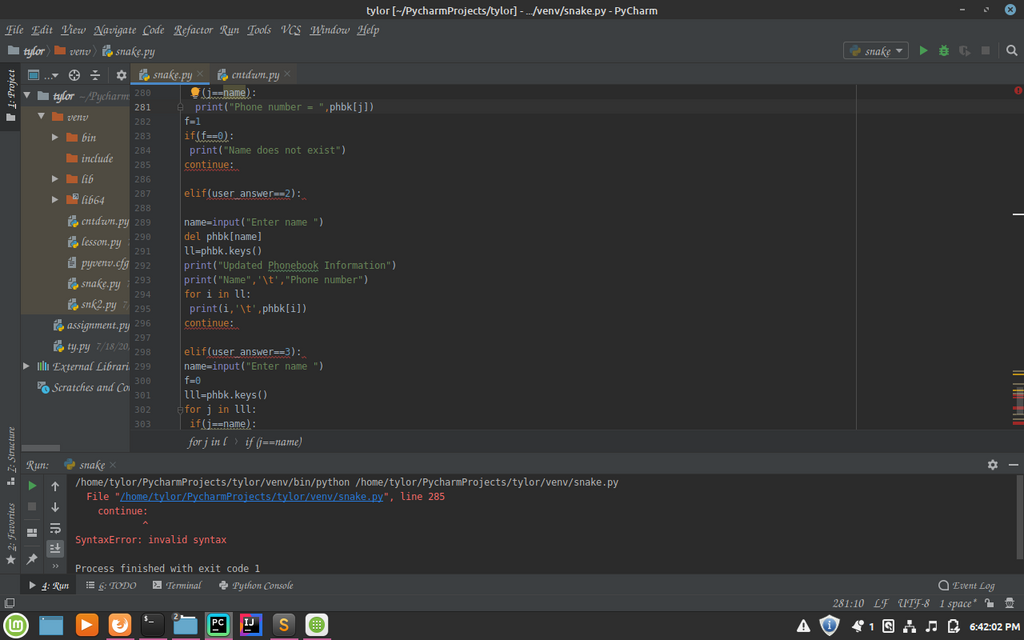
Popular IDEs for Python include VS Code, PyCharm, and Thonny. For beginners, Thonny is a great choice because it's designed specifically for learning and comes with Python built-in. VS Code and PyCharm are more powerful and widely used in professional settings. Choosing an IDE is a matter of personal preference, so feel free to try a few and see which one you like best.
Your First Program
Let's write a classic first program: one that simply prints "Hello, World!" to the screen. This is a simple way to test that your setup is working correctly.
Open your IDE or text editor and create a new file. Type the following line of code into it:
print("Hello, World!")
This code uses the built-in print() function. A function is a named block of code that performs a specific task. In this case, the print() function takes whatever is inside the parentheses and displays it on the screen.
Now, save the file. It's a convention to name Python files with a .py extension, so let's call this one hello.py.
To run your program, you'll need to open a terminal or command prompt. Navigate to the directory where you saved hello.py and type the following command:
python hello.py
Press Enter, and you should see the text Hello, World! printed in your terminal. Congratulations, you've just written and executed your first Python program!
Now let's check your understanding of these initial concepts.
What is a primary design philosophy of the Python programming language?
Python's 'standard library' is a collection of pre-written code that comes with the language, saving you from having to write everything from scratch.
You've taken the first and most important step. Now you have a working setup to start exploring what Python can do.