Introduction to Python Programming
Python Basics
Your First Lines of Code
Welcome to Python. Before you can write code, you need a place to write and run it. This setup, called a development environment, consists of two main parts: the Python interpreter, which understands and executes your code, and a text editor or Integrated Development Environment (IDE), where you'll type your instructions. Many free options like VS Code, PyCharm, or Thonny are great for beginners.
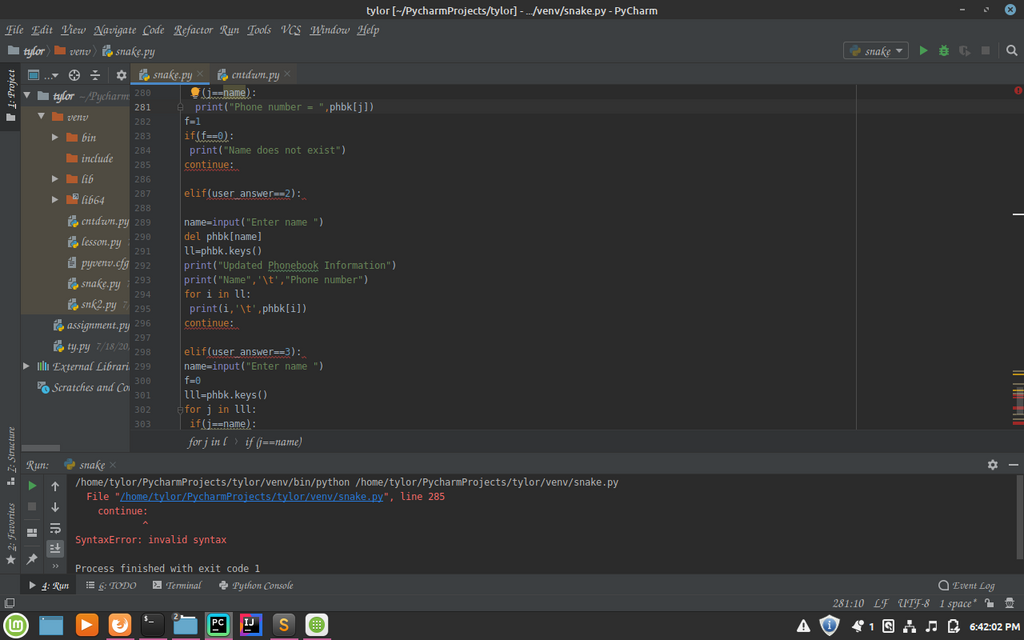
Once you're set up, you can start writing. Python is known for its clean and readable syntax. Unlike many other programming languages that use braces {} or keywords to define blocks of code, Python uses indentation. This means the whitespace at the beginning of a line is crucial. It’s not just for looks; it’s part of the language's rules.
In Python, how you structure your code with spaces and tabs directly affects how it runs. This might feel strange at first, but it enforces a clean, consistent style that makes code easier to read for everyone.
Storing Information
To do anything useful, a program needs to remember information. We store this information in variables. Think of a variable as a labeled box where you can put something. You give the box a name and place a value inside it using the equals sign (=), which is called the assignment operator.
greeting = "Hello, Python!"
user_age = 25
pi_approx = 3.14
is_learning = True
In that example, we created four variables, each holding a different kind of information. The type of data a variable holds is called its data type. Python has several built-in types, but let's start with the four most common ones.
| Data Type | Description | Example |
|---|---|---|
| Integer | Whole numbers, positive or negative. | 42, -100 |
| Float | Numbers with a decimal point. | 3.14, -0.001 |
| String | A sequence of characters, like text. | "Hello", 'Python' |
| Boolean | Represents truth values. Can only be True or False. | True, False |
Python automatically figures out the data type when you assign a value. You can use either single quotes (') or double quotes (") for strings, as long as you're consistent.
Making Things Happen
Variables aren't very useful if you can't do anything with them. That’s where operators come in. Operators are special symbols that perform operations on values and variables. You already know many of them from math class.
operator
noun
A symbol that performs an operation on one or more values (operands).
Let's look at the three main kinds of operators you'll use at first.
Arithmetic Operators These perform standard mathematical calculations.
# Addition
sum = 5 + 3  # result is 8

# Subtraction
_difference = 10 - 4  # result is 6

# Multiplication
product = 7 * 6  # result is 42

# Division
division_result = 20 / 4  # result is 5.0 (always a float)

# Exponent (to the power of)
power = 2 ** 3  # result is 8 (2*2*2)

# Modulo (remainder of a division)
remainder = 10 % 3  # result is 1
Comparison Operators These compare two values and result in a Boolean value:
TrueorFalse.
# Equal to
is_equal = (5 == 5)  # result is True

# Not equal to
is_not_equal = (5 != 6)  # result is True

# Greater than
is_greater = (10 > 5)  # result is True

# Less than or equal to
is_less_equal = (4 <= 4)  # result is True
Logical Operators These combine Boolean values to make more complex decisions.
# 'and' is True only if both sides are True
result_and = (True and True)  # result is True
other_and = (True and False) # result is False

# 'or' is True if at least one side is True
result_or = (True or False)  # result is True

# 'not' inverts the Boolean value
result_not = not False  # result is True
Let's check your understanding of these core concepts.
What are the two essential components of a Python development environment?
In Python, the whitespace (indentation) at the beginning of a line is crucial for defining code blocks.
You've just taken your first steps into Python, covering how the language is structured, how to store information, and how to perform basic operations. These building blocks are the foundation for everything else you'll do.