Implementing Azure Virtual Desktop at Scale
AVD Architectural Hierarchy
The AVD Hierarchy
When managing traditional virtual machines, you often think in terms of individual servers. Azure Virtual Desktop (AVD) requires a different mental model. Instead of managing single VMs, you manage collections of resources organized in a logical hierarchy. This structure simplifies administration and user access.
At the top of this structure is the Workspace. Think of a workspace as a logical container or a storefront for your users. It's the single place they go to access all the desktops and applications you've assigned to them. A single organization might have multiple workspaces, for example, one for the finance department and another for engineering, each presenting a different set of tools.
Inside each workspace are one or more Application Groups. These groups define what resources a user can access. There are two fundamental types:
Desktop Application Groups provide users with a full desktop experience. When a user connects, they get a complete Windows 10 or Windows 11 environment, just as if they were sitting at a physical PC.
RemoteApp Application Groups publish individual applications. Instead of a full desktop, the user sees only the app's window (like Calculator or a specific accounting program) integrated seamlessly with their local desktop.
A user can be assigned to both types of groups. For instance, an engineer might get a full desktop for development work and also have a separate for a specific legacy tool. Both would appear in their single workspace.
Host Pools and Session Hosts
So where do these desktops and applications actually run? They run on virtual machines called session hosts. A collection of identical session hosts configured to serve an application group is called a . The host pool is the foundational compute layer. You define the VM size, image, and maximum session limit for the pool, and all session hosts within that pool share the same configuration.
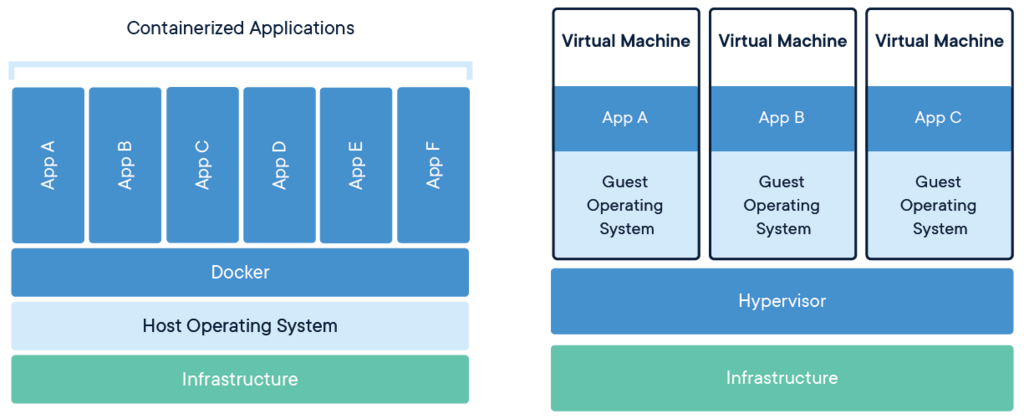
This is where one of AVD's most powerful features comes into play. Traditionally, a Windows desktop OS could only handle one user session at a time. If you needed to serve 10 users, you needed 10 separate VMs. AVD, however, offers a special version of multi-session Windows 10 and 11. This allows multiple users to have concurrent, isolated sessions on a single VM. It dramatically reduces costs because you need fewer virtual machines to support the same number of users.
Of course, you can still deploy single-session desktops if a user needs dedicated resources or has an application that doesn't play well in a shared environment. The host pool configuration determines which approach you take.
The Control Plane
You might be wondering how a user's connection request finds its way to an available session host. This is handled by the AVD control plane, a set of services managed entirely by Microsoft. You don't manage this infrastructure; you just use it. The two key components are the AVD Broker and the Gateway.
When a user launches their AVD client, it first connects to the service. The broker authenticates the user and determines which workspaces and application groups they are authorized to access. Once the user selects a resource, the broker identifies a suitable session host in the corresponding host pool, considering factors like current load and session availability.
After the broker makes the match, the Gateway service establishes the secure connection between the user's client device and the assigned session host VM. This connection uses a reverse connect, meaning the session host initiates the connection outbound to the gateway. This avoids opening inbound ports on your virtual network, significantly enhancing security.
In the Azure Virtual Desktop hierarchy, what is the top-level logical container that acts as a 'storefront' for users to access their assigned desktops and applications?
An organization wants to provide its users with access to a full Windows desktop experience and also provide access to individual, standalone programs. Which two types of Application Groups would they need to create?
This logical structure separates user assignments from the underlying compute resources, giving you flexible control over your virtual desktop environment.