Home Network Security Testing
Home Network Basics
Your Network's Command Center
Every home network has a central device that directs traffic: the router. Think of it as an air traffic controller. It manages all the data coming from the internet to your devices and all the data your devices send back out. It ensures your laptop's video stream doesn't get mixed up with your phone's social media feed.
Your router gets its internet connection from a modem, which is the device that connects to your Internet Service Provider (ISP). In many modern homes, the modem and router are combined into a single box. This combo device is the gateway between your private home network and the vast public internet.

Besides managing traffic, your router also acts as your network's first line of defense, using a firewall to block unwanted incoming connections. It creates your local area network (LAN), a private digital space for your devices to communicate with each other.
Connecting Your Devices
To connect multiple devices, routers have built-in components called switches and access points. A switch is for wired connections. It's like a power strip for your network, providing multiple Ethernet ports so you can plug in devices like a desktop computer, a gaming console, or a smart TV. Each port allows a device to talk to the router and other devices on the network.
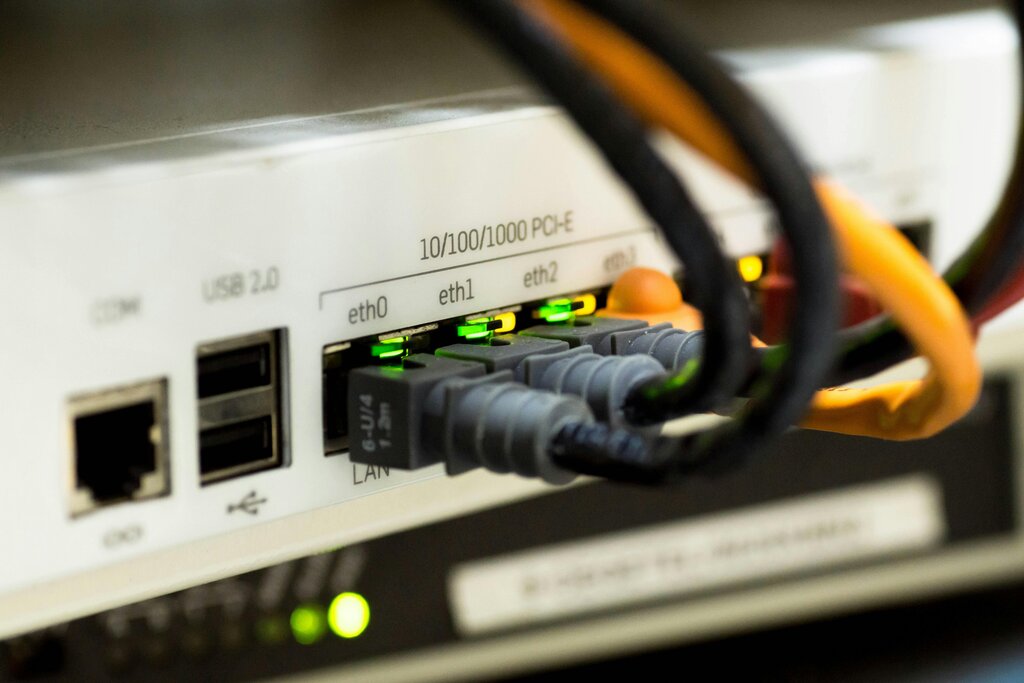
An access point (AP) does the same job for wireless connections. It broadcasts the Wi-Fi signal that your phone, tablet, and laptop use to connect to the network without cables. Most home routers are all-in-one devices, combining the functions of a router, a switch, and an access point into one convenient package.
This setup creates a common network layout called a star topology. The router sits at the center, and all your devices connect directly to it, like spokes on a wheel. This is efficient because if one device has a problem, it doesn't affect the others.
Digital Addresses
Every device on a network needs a unique identifier, just like every house on a street needs an address. In networking, this is called an IP (Internet Protocol) address. It's a series of numbers that tells other devices where to send information.
An IP address looks like this:
192.168.1.101
Your router actually manages two types of IP addresses. It has one public IP address, which is assigned by your ISP. This is the address the rest of the internet sees. Then, it creates a range of private IP addresses for all the devices inside your home network. This is why your laptop and your neighbor's laptop can both have the address 192.168.1.101 without any conflict; they're on different private networks.
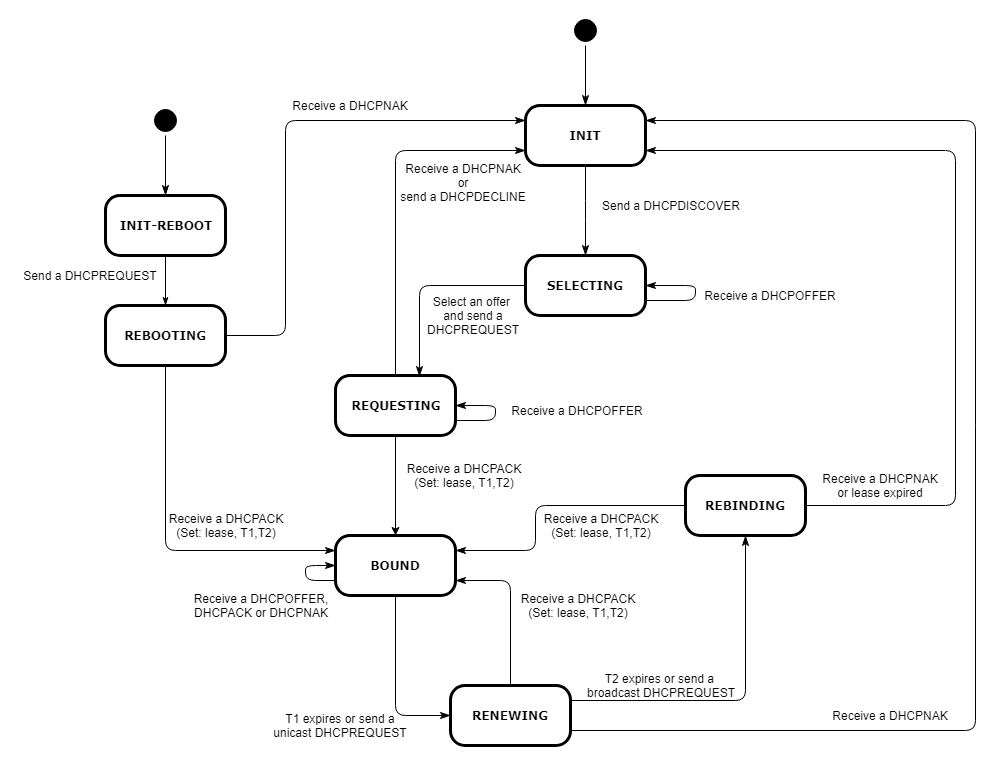
So how do your devices get these private IP addresses? Manually assigning them would be a pain. Instead, routers use the Dynamic Host Configuration Protocol (DHCP). When a new device joins your network, the DHCP server built into your router automatically assigns it an available private IP address. It's like a helpful concierge at a hotel, handing out room keys to new guests.
But IP addresses aren't very friendly for humans to remember. That's where the Domain Name System (DNS) comes in. DNS is the internet's phonebook. It translates human-readable website names (like google.com) into computer-readable IP addresses (like 172.217.12.14). When you type a website into your browser, your device asks a DNS server for the correct IP address before it can connect.
Subnetting a Network
Most home networks are simple. All devices are on one big network, managed by the router. But sometimes, it's useful to divide a network into smaller pieces. This practice is called subnetting.
Subnet
noun
A logical subdivision of an IP network.
Subnetting is like dividing a large office building into different departments. Each department has its own section, but they're all still in the same building. On a network, you can create a separate subnet for your smart home devices, another for your personal computers, and a third for guests. This helps organize your network and can improve performance and security by keeping traffic contained within each subnet.
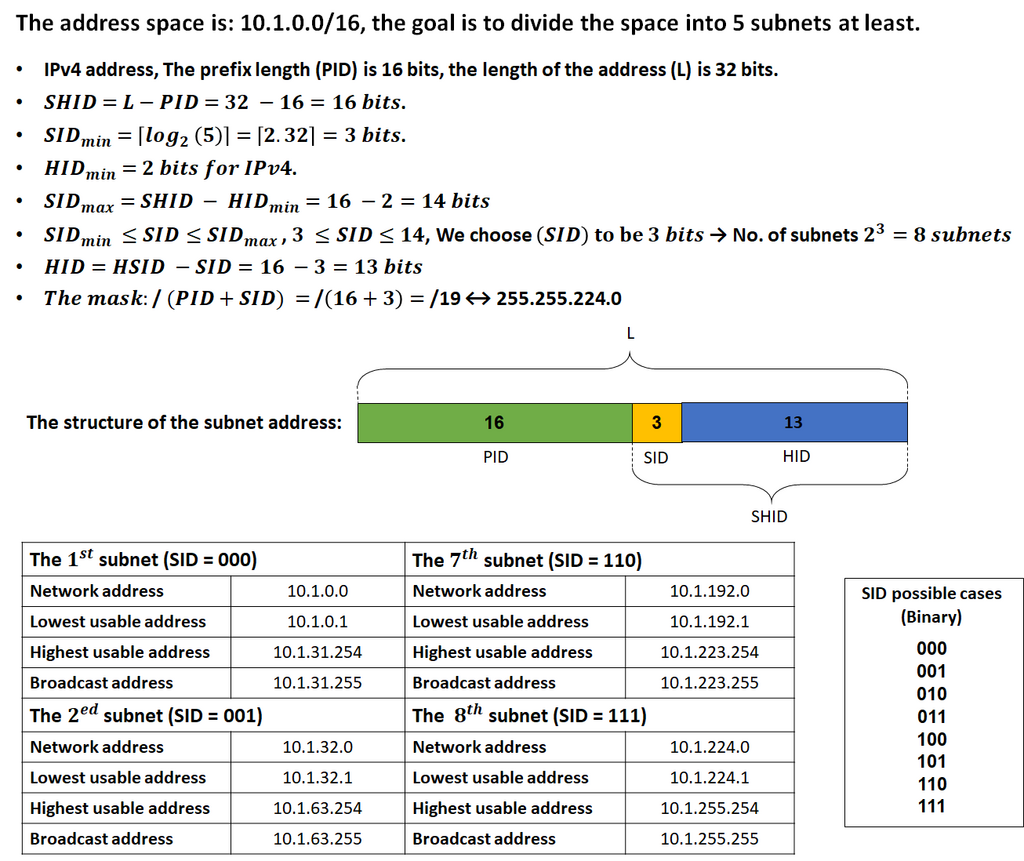
This is done using a subnet mask, a number that looks similar to an IP address (e.g., 255.255.255.0). The subnet mask tells devices which part of the IP address identifies the network and which part identifies the specific device. By changing the subnet mask, a network administrator can create multiple subnets from a single block of IP addresses.
These core components and protocols are the building blocks of any home network. Understanding how they work together is the first step toward managing your network effectively.