GPU Programming Essentials
GPU Architecture
Built for Parallelism
Think of a central processing unit (CPU) as a master chef. It's incredibly smart and can handle any complex recipe you throw at it, one step at a time. It works quickly and precisely on a single, sophisticated task.
A graphics processing unit (GPU), on the other hand, is like an army of line cooks. Each cook is given the same simple instruction, like "chop this onion," and they all do it at the exact same time. A single line cook isn't as versatile as the master chef, but together, the army can chop thousands of onions in the time it takes the chef to handle just one.
This is the core idea behind GPU architecture: breaking down a massive job into thousands of identical, smaller tasks and executing them all at once.
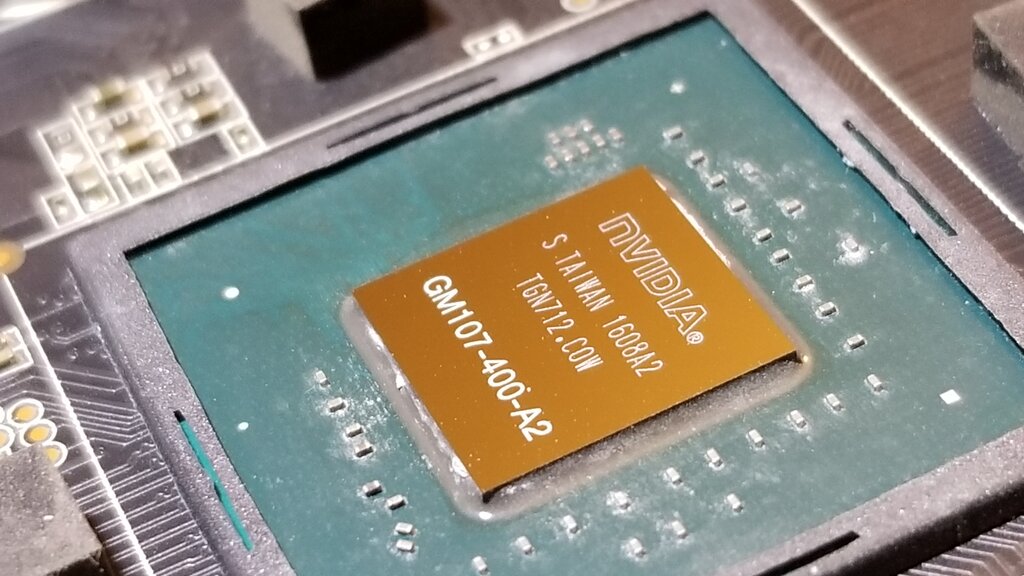
Originally, these tasks were all about graphics—calculating the color of every pixel on your screen millions of times per second. But it turns out that many problems in science, finance, and artificial intelligence can also be broken down this way. This is why GPUs have become powerhouses for more than just gaming.
Cores and Multiprocessors
The “line cooks” in our analogy are the GPU's cores. Unlike complex CPU cores, GPU cores are simple and designed for one thing: fast math. A modern GPU doesn't have 8 or 16 cores; it has thousands.
These cores aren't just a giant, disorganized mob. They're grouped into teams called Streaming Multiprocessors, or SMs. Think of an SM as a kitchen station, fully equipped and staffed with a team of cores. Each SM manages its own group of cores, dispatching work and keeping them fed with data.
GPUs consist of many simple processing cores organized into streaming multiprocessors (SMs) or compute units (CUs), enabling massive parallelism
This structure—a GPU containing multiple SMs, each containing multiple cores—is what allows for such massive parallelization. The GPU can assign different large-scale parts of a problem to different SMs, and each SM then breaks its part down for its individual cores to process simultaneously.
A Symphony of Instructions
How does an SM get all its cores to work together efficiently? It uses an execution model called Single Instruction, Multiple Data, or SIMD.
It's as simple as it sounds. The SM issues one single instruction, and a group of cores executes that exact same instruction at the same time, but on different pieces of data. For example, the instruction might be "Add 5 to your number." Each core has a different number, but they all perform the "add 5" operation in perfect sync.
One instruction, thousands of simultaneous results. This is the essence of the SIMD model and the key to a GPU's massive throughput.
This lockstep execution is incredibly efficient for tasks that involve repetitive calculations on large datasets, like shading millions of pixels in a video game or processing vast matrices in a machine learning model. It removes the overhead of having to manage thousands of separate instruction streams, which is what a CPU would have to do.
The Memory Hierarchy
To keep thousands of cores busy, a GPU needs a sophisticated system for delivering data. A single, slow memory bank would cause a massive bottleneck, leaving the cores waiting around. To solve this, GPUs use a memory hierarchy with different levels of speed and size.
Imagine our kitchen again. There's a giant walk-in pantry down the hall, a medium-sized fridge at each station, and a small cutting board right in front of each cook.
| Memory Type | Kitchen Analogy | Speed & Size |
|---|---|---|
| Global Memory | The Walk-in Pantry | Very large, but slowest to access. All SMs can see it. |
| Shared Memory | The Station Fridge | Medium-sized and much faster. Only accessible by cores within one SM. |
| Local/Registers | The Cutting Board | Extremely fast, but very small. Private to each individual core. |
Efficient GPU computing relies on managing this hierarchy smartly. You want to load data from the slow, large global memory into the fast, smaller shared memory of an SM. From there, the cores can quickly access what they need from shared memory or their own private registers to perform calculations. By minimizing trips to the far-away "pantry," the entire process runs much faster.
This combination of thousands of simple cores, organized into SMs, executing instructions in lockstep, and fed by a tiered memory system, is what makes a GPU a parallel processing marvel.
Time to check what you've learned about the architecture that powers modern computing.
Based on the chef analogy, what is the primary difference between a CPU and a GPU?
What is the organizational structure inside a GPU?
By understanding these fundamental building blocks, you can better appreciate how GPUs accelerate everything from stunning video game graphics to groundbreaking scientific discoveries.