Game 3D Modeling From Zero to Pro
Introduction to 3D Modeling
Welcome to 3D Space
Everything you see in a 3D game, from a character to a simple rock, is a digital object living in a simulated space. Unlike a flat drawing, which has only height and width, 3D space has depth. This depth is what allows us to see objects from any angle, just like in the real world.
To keep track of where everything is, 3D software uses a coordinate system with three axes: X, Y, and Z. Think of the corner of a room. The line where the two walls meet the floor is the Y-axis (up and down). The lines where each wall meets the floor are the X and Z axes (side to side, and forward and back). Every point on a 3D model has a unique address based on its position along these three axes.
This XYZ system is the foundation for creating and placing every object in your game world.
Your Digital Toolkit
To build 3D models, you need specialized software. Two of the most popular tools in game development are Blender and Maya. Blender is a powerful, free, and open-source option beloved by indie developers and hobbyists. Maya is an industry-standard tool used in many professional game studios.
While their interfaces look different, they share the same core concepts. Learning one makes it much easier to pick up another. We'll focus on the ideas that apply to both.
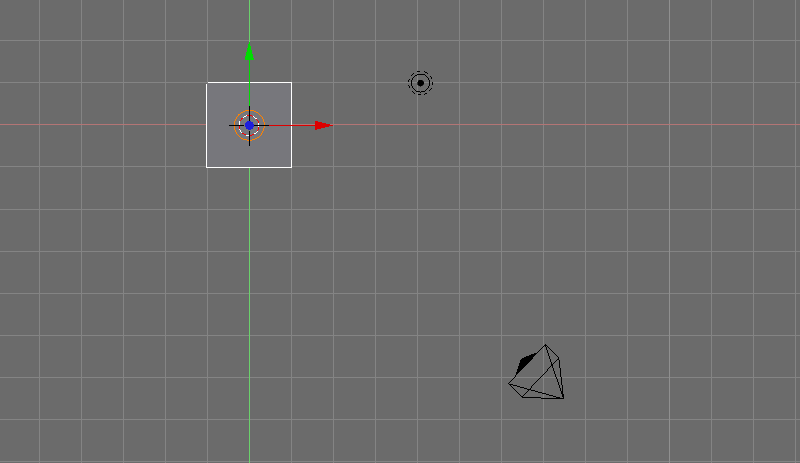
When you first open a 3D modeling program, you'll usually see a few key windows:
- The 3D Viewport: This is your main workspace, where you can see and manipulate your 3D objects.
- The Outliner: A list of every object in your scene, like a table of contents. This includes your models, lights, and cameras.
- The Properties Panel: This window shows detailed information and settings for whatever object you have selected.
Don't worry about memorizing every button. The key is to get comfortable navigating the 3D space and understanding what the main windows are for.
Building from the Ground Up
So how do you actually make something? You don't start by sculpting a complex character from a digital lump of clay. Instead, almost all 3D models begin with a primitive.
primitive
noun
A basic, simple geometric shape that serves as a starting point for a 3D model.
Primitives are shapes like cubes, spheres, cylinders, and planes. A common technique for creating more complex objects from these is called box modeling.
Box modeling is like building with LEGO bricks. You start with a simple block (usually a cube) and add, stretch, and shape it until it looks like what you want.
This method is fantastic for creating "hard-surface" models, like furniture, buildings, weapons, and vehicles. By pulling, pushing, and resizing different parts of a basic shape, you can build surprisingly detailed objects.
Getting More Detailed
For more organic or complex shapes, you'll need to work on a finer level. This is where edge modeling comes in. Instead of just pushing and pulling large faces, you manipulate the individual components of the model.
Every 3D model is made of three things:
- Vertices: Single points in space (the corners of a cube).
- Edges: Lines that connect two vertices (the seams of a cube).
- Faces: Flat surfaces created by connecting three or more edges (the sides of a cube).
Together, these components form the model's mesh.
With edge modeling, you might select a single edge and move it to change a model's silhouette, or grab a single vertex to make a surface less flat. It's a more precise way of working, essential for adding detail and creating the curved surfaces you see on characters or natural landscapes.
Now that you know the building blocks, let's test your knowledge.
What are the three axes that define 3D space in modeling software?
A 3D model's mesh is composed of what three fundamental components?
Understanding these core ideas of 3D space and basic modeling techniques is the first step. With this foundation, you can start creating the assets for any game world you can imagine.