Fixing Website Formatting with HTML CSS
HTML and CSS Basics
The Blueprint of the Web
Every webpage you visit is built with two core languages: HTML and CSS. Think of them like the skeleton and the clothes of a website. HTML (HyperText Markup Language) provides the basic structure, while CSS (Cascading Style Sheets) adds all the styling, from colors and fonts to the layout of the page.
HTML provides a website’s structure and layout.
HTML uses tags to define elements. A tag is usually a keyword wrapped in angle brackets, like <h1>. Most tags come in pairs: an opening tag and a closing tag. The closing tag has a forward slash before the keyword, like </h1>.
Here’s the fundamental structure of any HTML document:
<!DOCTYPE html>
<html>
<head>
  <title>My First Page</title>
</head>
<body>
  <h1>Hello, World!</h1>
  <p>This is a paragraph.</p>
</body>
</html>
Let's break that down:
<!DOCTYPE html>: This tells the browser that the document is an HTML5 page.<html>: This is the root element that wraps everything else.<head>: This contains meta-information about the page, like the title that appears in your browser tab. It's not visible on the page itself.<body>: This holds all the content that you actually see on the page, like text, images, and links.
Common Building Blocks
Inside the <body>, you use different tags to structure your content. These are the most common ones you'll encounter.
| Tag | Purpose |
|---|---|
<h1> to <h6> | Headings, with <h1> being the most important. |
<p> | A paragraph of text. |
<a> | An anchor tag, used to create links. |
<img> | An image tag, used to display images. |
<ul> | An unordered list (bullet points). |
<ol> | An ordered list (numbered). |
<li> | A list item, used inside <ul> or <ol>. |
When you put these tags together in an HTML file and open it in a web browser, the browser renders them into a structured page.

Adding Style with CSS
Plain HTML is functional, but it isn't very visually appealing. That's where CSS comes in. CSS allows you to apply styles to your HTML elements. It works using rules. A CSS rule consists of a selector and a declaration block.
The selector points to the HTML element you want to style. The declaration block contains one or more declarations separated by semicolons. Each declaration includes a CSS property name and a value, separated by a colon.
For example, to make all paragraph (<p>) text red, you would write this CSS rule:
p {
  color: red;
}
Here, p is the selector, color is the property, and red is the value. You can style multiple properties at once.
h1 {
  color: blue;
  font-size: 24px;
  text-align: center;
}
This rule targets all <h1> elements, making them blue, setting their font size to 24 pixels, and centering them on the page.
Connecting HTML and CSS
So, how do you apply these CSS rules to an HTML document? The best practice is to use an external stylesheet. You create a separate file for your CSS (e.g., style.css) and link to it from your HTML file.
This is done using the <link> tag inside the <head> section of your HTML.
<!-- In your index.html file -->
<head>
  <title>My Styled Page</title>
  <link rel="stylesheet" href="style.css">
</head>
The href attribute points to the location of your CSS file. Now, any styles in style.css will be applied to index.html. Let's look at an example.
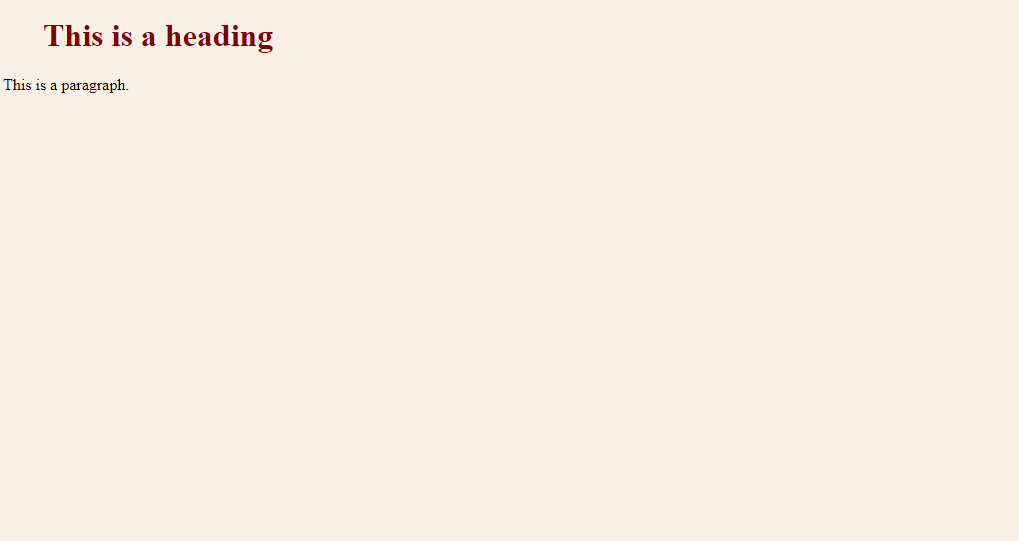
To get the result above, the HTML file would contain the heading and paragraph, and the CSS file would define the colors and fonts. This separation keeps your code organized: HTML handles the content and structure, while CSS handles the presentation.
CSS describes how HTML elements should be displayed.
Time to check your understanding.
What is the primary role of HTML in web development?
Where in an HTML document should you place the <link> tag to connect an external CSS stylesheet?
With HTML for structure and CSS for style, you have the fundamental tools to build and format any webpage. Understanding how they work together is the first major step in web development.