Docker Essentials
Introduction to Docker
What Is Docker?
Think about a real-world shipping container. It can hold almost anything, and it doesn't matter what's inside—it can be loaded onto any ship or train that supports standard containers. Docker does the same thing, but for software.
In simple terms, Docker allows you to package an application and everything it needs - like libraries, dependencies, and configuration into a single, portable unit called a container.
This solves a classic problem in software development: the code works perfectly on a developer's computer but fails when moved to a testing or production environment. By packaging the application with all its dependencies, Docker ensures that it runs consistently everywhere. It's like shipping a self-contained, ready-to-run package that works out of the box.
Containers vs Virtual Machines
Before containers, the go-to solution for isolating applications was the virtual machine (VM). A VM is essentially an entire computer emulated in software. It has its own guest operating system, which runs on top of a host operating system. This provides strong isolation but comes at a cost: VMs are bulky and slow to start because they duplicate an entire OS.
Containers take a more lightweight approach. Instead of virtualizing the hardware, containers virtualize the operating system. Multiple containers run on a single host machine, sharing the host's OS kernel but running as isolated processes in the user space. This makes them much smaller and faster.
Because they don't carry the baggage of a full operating system, containers are measured in megabytes, not gigabytes. They can start up in seconds, making them far more efficient for deploying and scaling applications.
How Docker Works
Docker's architecture consists of a few key components that work together to build, run, and manage containers.
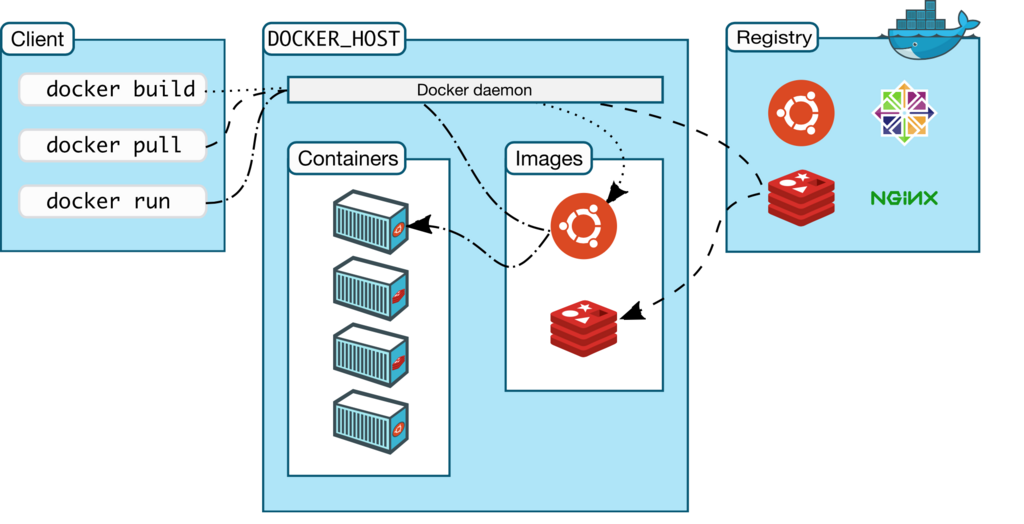
Let's break down the main parts:
- Docker Engine: This is the core of Docker, the underlying client-server application. It's what makes everything happen.
- Docker Daemon: This is a persistent background process (
dockerd) that manages Docker objects like images, containers, and networks. It listens for commands from the Docker Client and does the heavy lifting. - Docker Client: This is the command-line tool (
docker) that you interact with. When you type a command likedocker run, the client sends it to the daemon, which then executes it.
At the center of this workflow are Docker images and containers.
image
noun
A read-only template with instructions for creating a Docker container. It's a snapshot of an application and its environment at a specific point in time.
container
noun
A runnable instance of an image. You can create, start, stop, move, or delete a container using the Docker API or CLI. It is the live, running version of an image.
Think of an image as a recipe and a container as the cake you bake from that recipe. You can bake many identical cakes (containers) from a single recipe (image).
Finding and Sharing Images
So where do these images come from? While you can build your own, you can also pull pre-made ones from a registry. The default public registry is Docker Hub.
Docker Hub is Docker’s official cloud-based registry where developers store, share, and download Docker images.
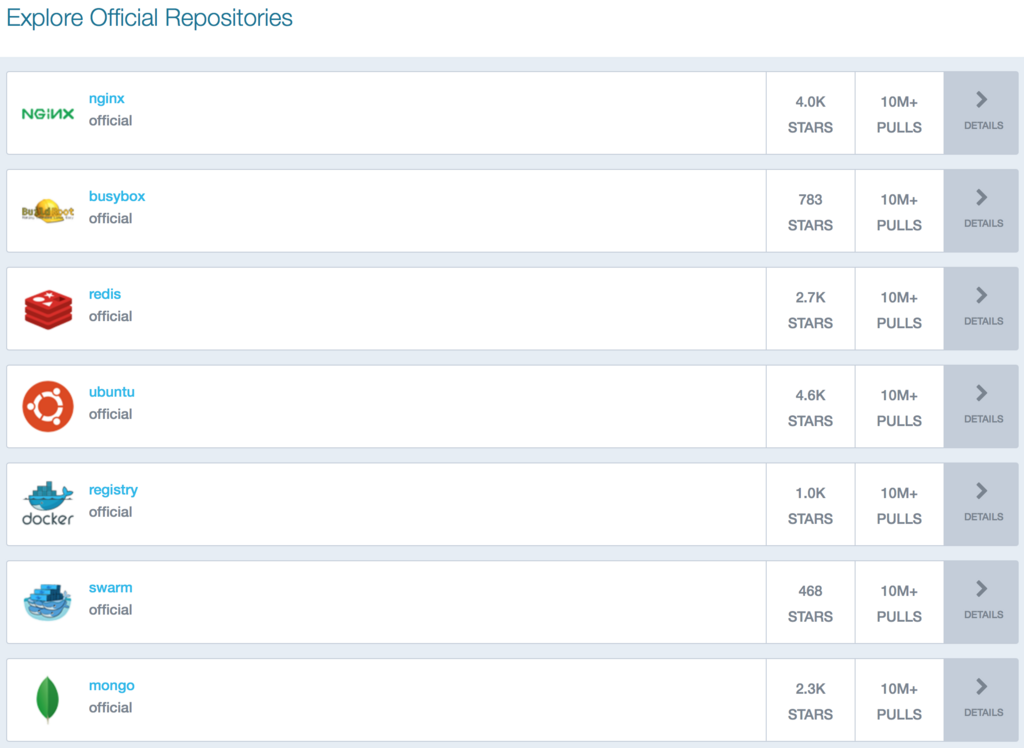
Docker Hub is a massive library of images for all sorts of applications and services. Need a database like PostgreSQL or a web server like Nginx? You can find an official image on Docker Hub and get a container running with a single command. This makes it incredibly easy to set up complex development environments or deploy standard software components without manual installation and configuration.
What is the primary problem in software development that Docker is designed to solve?
What is the fundamental difference between how containers and virtual machines (VMs) achieve application isolation?
Docker provides a powerful and efficient way to handle applications. By understanding its core concepts, you can start to see how it simplifies development and deployment.