Docker Essentials
Introduction to Docker
What is Docker?
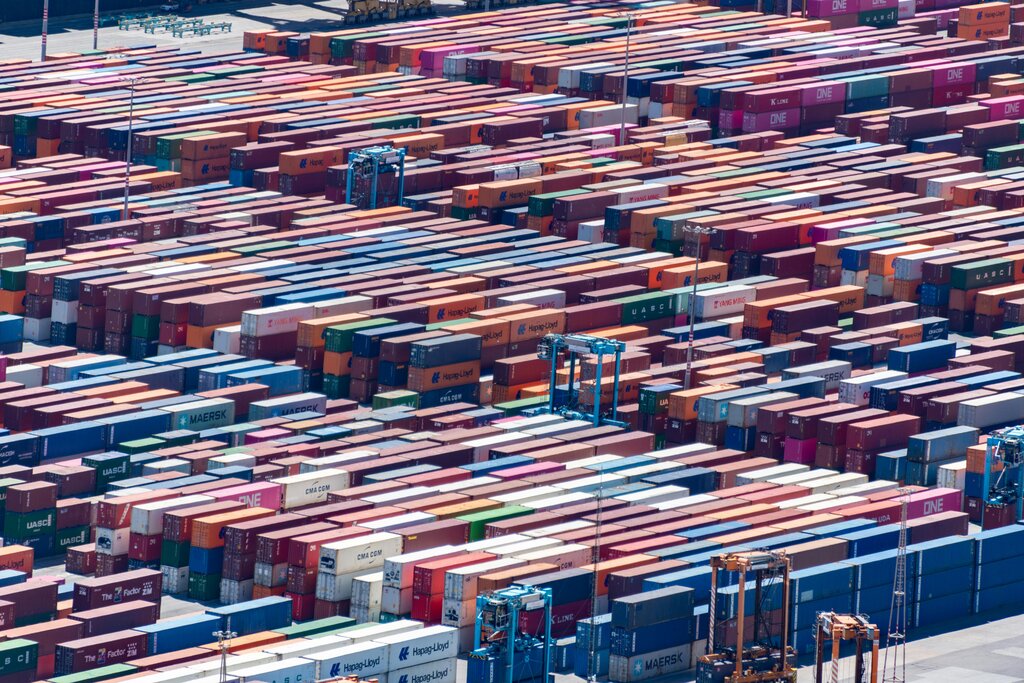
Think about how global trade works. A company in one country can load goods into a standard shipping container, and that container can be moved by truck, train, or ship to any other country. The transport company doesn't need to know what's inside. They just need to know how to handle the container.
Docker does the same thing, but for software.
Docker is a containerization platform that packages applications and their dependencies, ensuring consistent behavior across all environments.
It bundles an application and everything it needs to run—like code, system tools, libraries, and settings—into a single package called a container. This container can then run on any computer that has Docker installed, regardless of the underlying operating system. The classic developer problem of "it worked on my machine" is suddenly a thing of the past. If it works in the container, it works everywhere.
Containers vs. Virtual Machines
Before containers, the main way to isolate applications was using virtual machines (VMs). A VM is an entire computer system emulated in software. It has its own operating system, which runs on top of the main operating system of the host machine.
This works, but it's inefficient. Each VM needs a full copy of an operating system, which can take up gigabytes of space and lots of memory. Starting a VM is like booting up a whole new computer—it can take several minutes.
Containers take a different approach. Instead of virtualizing the hardware, they virtualize the operating system. All containers on a single host machine share the host's operating system kernel. They are just isolated processes from the host's point of view. This makes them incredibly lightweight and fast. A container might be only tens of megabytes in size and can start in a fraction of a second.
The Docker Architecture
Docker uses a client-server architecture. The key components work together to build, run, and distribute your containerized applications.
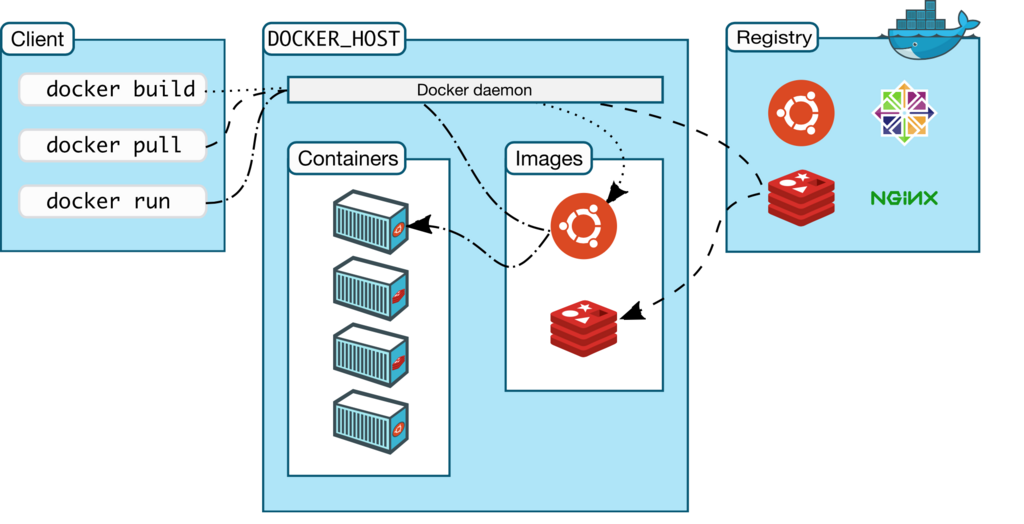
The Docker client is how you interact with Docker. When you type a command like docker run, you are using the Docker command-line interface (CLI) to send instructions to the Docker daemon.
The Docker daemon (or Docker Engine) is the server. It's a background process that listens for commands from the client and manages all the Docker objects, such as images, containers, and networks.
A Docker registry is where Docker images are stored. An image is a read-only template used to create containers. You can think of an image as a recipe, and a container as the meal you cook from that recipe. Docker Hub is the main public registry where anyone can store and download images, much like GitHub is for code.
Why Use Docker?
The benefits of using Docker ripple through the entire software development lifecycle.
- Consistency: Docker guarantees that an application will run the same way, regardless of where it's deployed. This eliminates compatibility issues between development, testing, and production environments.
- Efficiency: Containers are lightweight and use fewer resources than VMs. You can run many more containers on a single server than you could VMs, which saves on infrastructure costs.
- Scalability: You can quickly create or destroy containers to handle changes in application load. This makes it easy to scale services up or down as needed.
- Speed: With Docker, developers can set up a local development environment that perfectly mirrors the production environment in minutes, rather than days. This speeds up the entire development and testing process.
What is the primary analogy used to explain how Docker works for software?
What is the key difference that makes Docker containers more lightweight than traditional Virtual Machines (VMs)?
By packaging applications into portable containers, Docker has simplified how we build, ship, and run software, making the whole process more reliable and efficient.