Developer Tool Monetization and Functionality
Introduction to Developer Tools
The Programmer's Toolkit
Imagine trying to build a house with only a hammer and a handsaw. You could probably do it, but it would be slow, difficult, and the results might be a bit rough. Now, imagine having power saws, laser levels, and nail guns. The job becomes faster, easier, and the final product is much more precise.
Software development is no different. Programmers have a wide array of specialized tools, known collectively as developer tools, that help them build, test, and maintain software. These tools are the digital equivalent of a carpenter's toolkit, designed to make every part of the development process more efficient and effective.
The All-in-One Workshop
At the heart of most developers' toolkits is the Integrated Development Environment, or IDE. An IDE is like a central workshop that brings many essential tools together in one place. Instead of juggling a separate text editor, a program to compile the code, and another to debug it, an IDE combines all these functions into a single, cohesive application.
Most IDEs include a smart code editor that understands the programming language you're using. It provides features like syntax highlighting, which colors different parts of your code to make it easier to read, and code completion, which suggests how to finish lines of code as you type. This saves time and helps prevent simple typos.
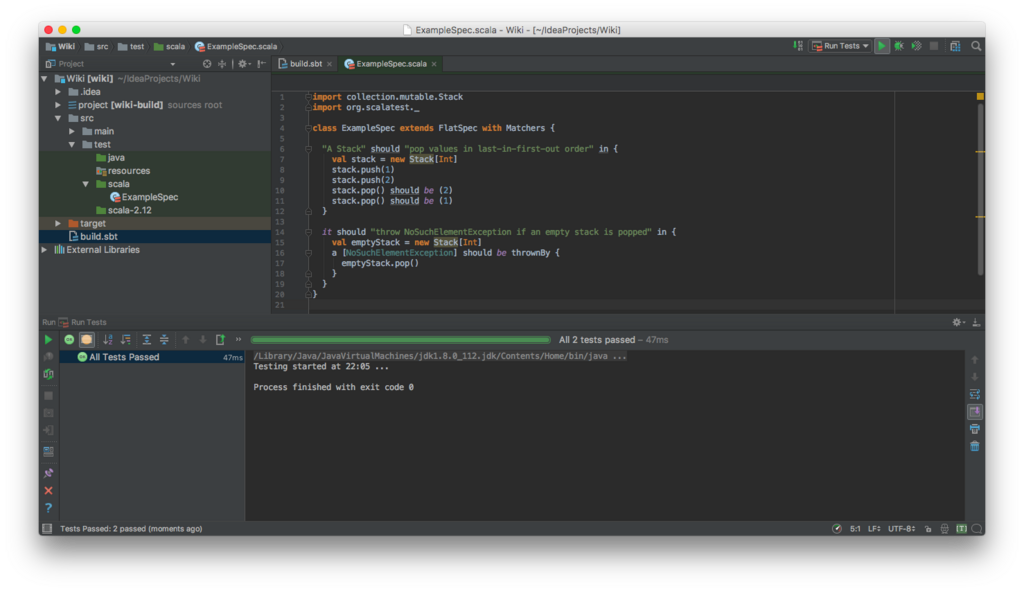
But writing code is only the beginning. Once it's written, you need to make sure it actually works.
Finding and Fixing Problems
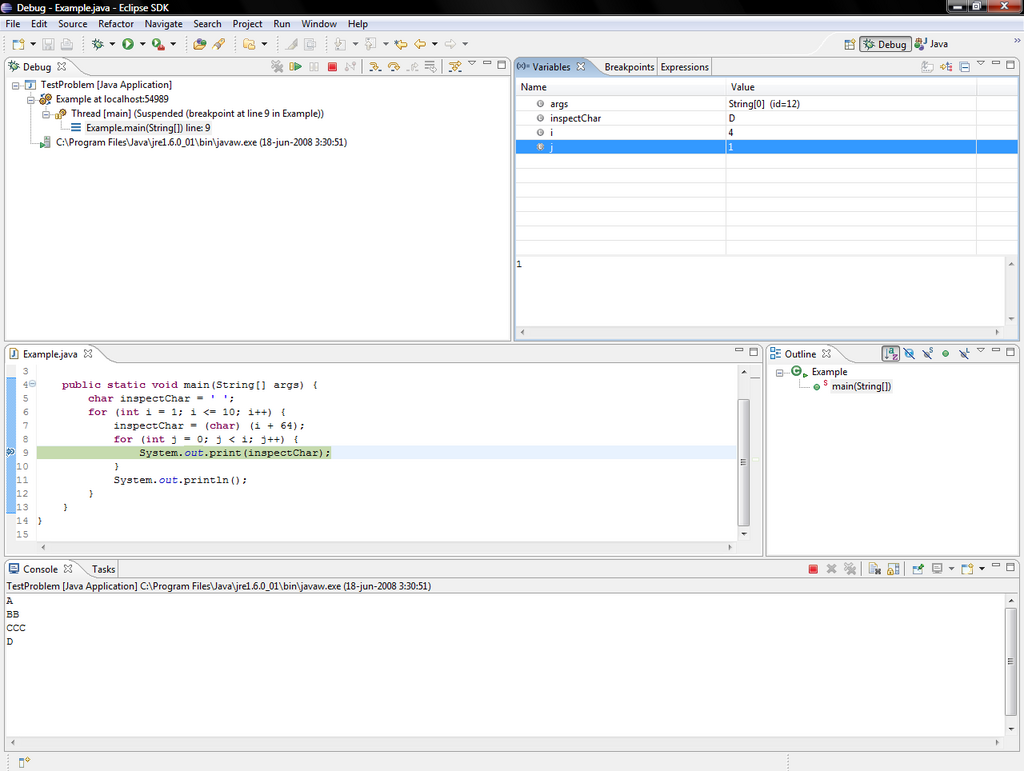
Even the best programmers make mistakes. Errors in code, known as "bugs," are an inevitable part of software development. Finding them can be like searching for a needle in a haystack. This is where a debugger comes in.
A debugger is a tool that lets a developer run their code step-by-step. They can set "breakpoints" to pause the program at specific lines and inspect the state of the application at that exact moment. This allows them to see the values of variables and understand the program's flow, making it much easier to pinpoint where things went wrong.
Beyond just making code work correctly, developers also need to make it work efficiently. A performance profiler is a tool that analyzes a program's performance. It helps identify "bottlenecks"—parts of the code that are running slowly or using too much memory. By optimizing these areas, developers can make their applications faster and more responsive.
Building as a Team
Modern software is rarely built by a single person. It’s a collaborative effort, often involving large teams of developers working on the same project simultaneously. Collaboration platforms are essential for keeping this process organized.
The most fundamental collaboration tool is version control, with Git being the most popular system. Version control software tracks every change made to the code, creating a detailed history. This allows developers to work on different features at the same time and then merge their changes together without overwriting each other's work. It also provides a safety net, making it easy to revert to a previous version if a new change introduces a problem.
Platforms like GitHub, GitLab, and Bitbucket are built on top of Git. They provide a central place to store code and offer additional tools for project management, code review, and automating testing and deployment. These platforms have become the backbone of modern software development, enabling seamless collaboration for teams of any size, anywhere in the world.
These tools work together to create a robust development ecosystem.
Developer tools have evolved dramatically from simple command-line utilities to sophisticated, AI-powered assistants that can suggest code, find bugs, and automate repetitive tasks. They are indispensable in modern software development, empowering programmers to build more complex and reliable software faster than ever before.
What is the primary purpose of developer tools in software development?
An Integrated Development Environment (IDE) combines multiple essential tools into a single application.