Create a PDF Manipulation Web App
Web Development Basics
The Blueprint of the Web
Every website you visit is built with three core technologies: HTML, CSS, and JavaScript. Think of building a house. HTML is the structural frame—the foundation, walls, and roof. CSS is the paint, wallpaper, and furniture that give the house its look and feel. JavaScript is the electrical wiring and plumbing that make everything work, from flipping a light switch to turning on a faucet.
Make sure you're fluent in HTML, CSS, and JavaScript - the building blocks of web development.
We'll start with the frame: HyperText Markup Language, or HTML. It provides the basic structure for all web pages. Without it, a web page would just be a plain text file. HTML uses elements, which are represented by tags, to label pieces of content like "this is a heading," "this is a paragraph," or "this is a link."
<!DOCTYPE html>
<html>
<head>
    <title>My First Page</title>
</head>
<body>
    <h1>Welcome to My Website</h1>
    <p>This is a paragraph of text.</p>
    <a href="#">This is a link.</a>
</body>
</html>
The code above shows a basic HTML document. The tags, like <h1> for a main heading or <p> for a paragraph, wrap around the content. This structure is hierarchical, like a family tree. The <html> element is the great-grandparent of everything. Inside it are <head>, for metadata like the page title, and <body>, which holds all the visible content.
tag
noun
A keyword or label that defines how a web browser will format and display the content.
Modern HTML uses semantic tags that describe the content's meaning, not just its appearance. For example, instead of using a generic <div> tag for everything, we can use <header>, <footer>, <nav>, and <article>. This helps search engines, screen readers, and other developers understand the structure of your page.
Adding Style
Once the HTML structure is in place, it's time to add style with Cascading Style Sheets (CSS). CSS is a language for describing the presentation of a web page, including colors, layout, and fonts. It separates the presentation from the structure, which makes the code much cleaner and easier to maintain.
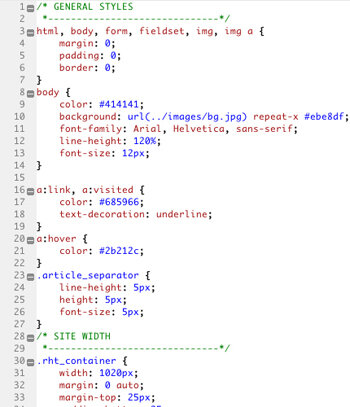
CSS works by selecting HTML elements and applying style rules to them. You can select elements by their tag name, a class, or a unique ID.
For example, to make all paragraphs (
<p>tags) have blue text and a larger font size, you would write this CSS rule:
p {
  color: blue;
  font-size: 16px;
}
You can get much more specific. If you only wanted some paragraphs to be blue, you could give them a class in your HTML, like <p class="important-text">. Then your CSS selector would change to target that class specifically.
.important-text {
  color: blue;
  font-size: 16px;
}
CSS also handles the layout of the page. Modern layout techniques like Flexbox and CSS Grid give you powerful control over how elements are arranged, aligned, and distributed on the page. This is how developers create complex, responsive designs that look good on any device, from a large desktop monitor to a small phone screen.
Making it Interactive
HTML provides the structure and CSS handles the style, but JavaScript brings the page to life. It’s a programming language that runs in the user's web browser and can manipulate the content of a page after it has loaded.
JavaScript enables users to create modern web applications that allow direct user interaction without repeatedly refreshing the page.
One of the most common uses of JavaScript is to modify the Document Object Model, or DOM. The DOM is a tree-like representation of the HTML document. JavaScript can add, remove, and change elements and attributes in this tree.
Imagine you have a button on your page. You can use JavaScript to listen for a user clicking that button. When the click happens, you can run code to change something else on the page, like revealing a hidden message.
// Find the button and the message elements
const myButton = document.getElementById('show-message-btn');
const myMessage = document.getElementById('hidden-message');

// Add an event listener to the button
myButton.addEventListener('click', () => {
  // When clicked, change the message's style
  myMessage.style.display = 'block';
});
This is a simple example of DOM manipulation. JavaScript can be used for everything from validating forms and creating animations to fetching data from a server and building complex, single-page applications. It's the engine that powers the dynamic, interactive web we use every day.
Ready to check your understanding of these core components?
What is the primary role of HTML in web development?
Using semantic HTML tags like <header> and <article> instead of generic <div> tags helps search engines and screen readers understand the page structure.
Together, these three technologies form the foundation of front-end web development. By mastering them, you gain the ability to build almost any user interface you can imagine.