Computer Networking Fundamentals
Introduction to Computer Networks
What Is a Computer Network?
A computer network is simply a group of two or more computers linked together. The goal is to share things. This could be information, like files and messages, or resources, like a printer or an internet connection.
Think of it like a conversation. For you to talk to a friend, you need a shared language and a way for your voice to travel between you. Computers are the same. They need a connection and a common set of rules to share data.
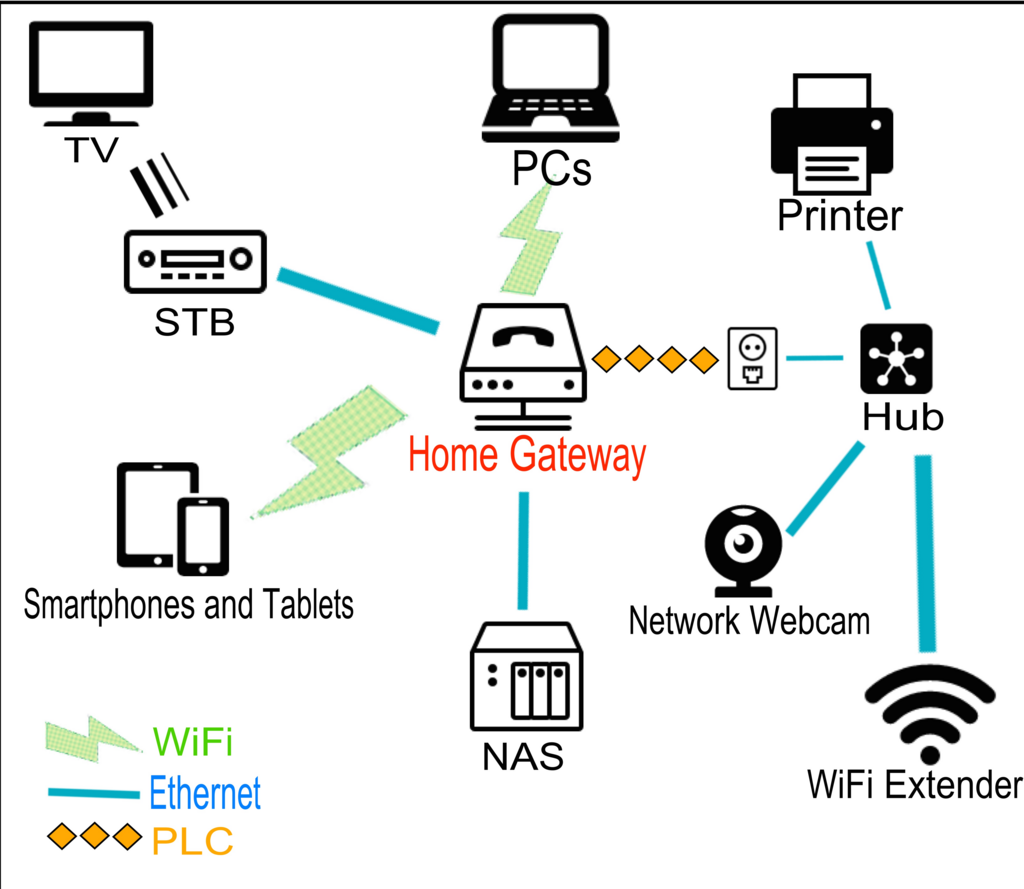
In your home, your laptop, phone, and smart TV might all be on the same network. This allows them to connect to the internet through one shared link and potentially share files with each other. At an office, dozens of computers might be networked to share documents and access a central server.
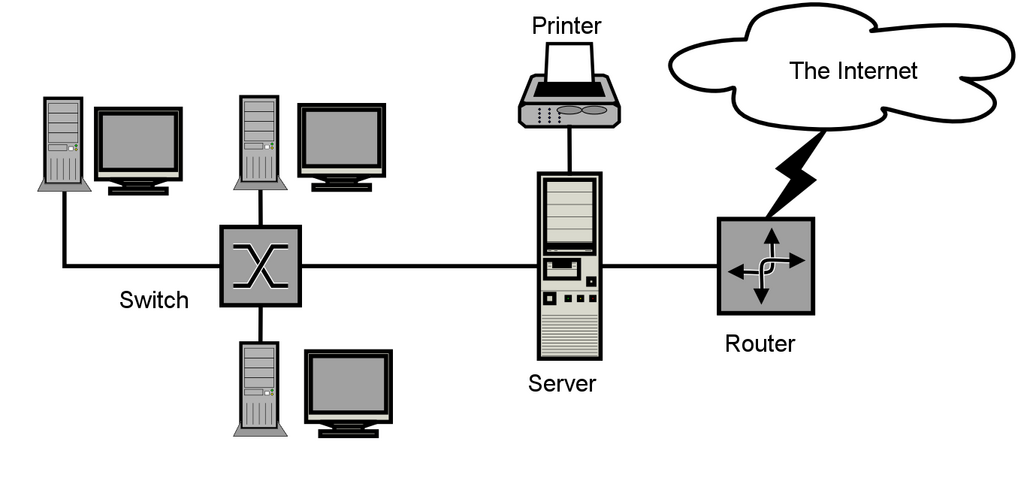
The core purpose of a network is communication and resource sharing.
Networks Big and Small
Networks aren't all the same size. They are categorized based on the geographical area they cover. The three main types are LAN, WAN, and MAN.
A Local Area Network (LAN) is a network confined to a small area. This could be a single building, an office, or your home. The Wi-Fi network you use every day is a perfect example of a LAN. It connects your personal devices in one location.
A Wide Area Network (WAN) connects devices over a much larger geographical area, such as across cities, countries, or even continents. A company with offices in New York and London would use a WAN to connect them. The biggest and most famous WAN is the internet itself, which is a global network of computers.
In between these two is the Metropolitan Area Network (MAN). As the name suggests, a MAN typically spans an entire city or a large campus. It's bigger than a LAN but smaller than a WAN. A MAN might be used to connect the different branches of a library system across a city.
| Network Type | Geographical Scope | Example |
|---|---|---|
| LAN | Small area (room, building) | Home Wi-Fi network |
| MAN | Medium area (city, campus) | A university's campus network |
| WAN | Large area (country, globe) | The Internet |
The Hardware That Connects Us
For devices to join a network, they need specific hardware. Each piece has a distinct job in getting data from one place to another.
Network Interface Card
noun
A hardware component that connects a computer to a computer network.
A modem is the device that connects your home network to the wider internet. Its name comes from "modulator-demodulator." It converts the digital signals from your computer into analog signals that can travel over your internet service provider's lines (like cable or phone lines), and vice-versa.
A router is like the traffic cop for your network. It directs data between the internet and the devices on your LAN. When you want to visit a website, your request goes to the router, which then sends it out to the internet via the modem. When the website's data comes back, the router makes sure it gets to the correct device, whether it's your phone or your laptop.
Think of it this way: The modem talks to the internet, and the router talks to your devices.
Finally, a switch is used to connect multiple devices on the same LAN. If you have a router with only four Ethernet ports but need to connect eight wired devices, you would use a switch. It acts as a central point, taking in data from one device and sending it directly to the intended destination device on the local network. Many home routers have a small switch built right in.
Together, these components create the networks that are essential to our modern digital lives, from sending an email to streaming a movie.
What is the primary goal of a computer network?
Your home Wi-Fi network, which connects your laptop, phone, and smart TV, is an example of a ______.