Computer Architecture Fundamentals
Introduction to Computer Architecture
The Blueprint of a Computer
Think of a computer's architecture as the blueprint for a building. Before laying a single brick, an architect designs the entire structure: where the rooms go, how they connect, and what purpose each space serves. Computer architecture does the same for a computer. It's the master plan that dictates how all the hardware components work together to run software.
It’s the fundamental design that allows the physical pieces (hardware) and the programs you use (software) to communicate and function as a single, powerful tool.
Computer Architecture
noun
The set of rules and methods describing the functionality, organization, and implementation of computer systems. It's a blueprint for designing and building a computer.
Understanding this blueprint is crucial. It explains why some computers are faster than others, how your video games can render stunning graphics, and how your phone can run multiple apps at once. It’s the bridge between engineering and the user experience.
A Quick Trip Through Time
Computers didn't just appear overnight. Their architecture has evolved dramatically over centuries. Early calculating tools, like the abacus, were humanity's first step. But the real journey began with mechanical contraptions designed to automate math.
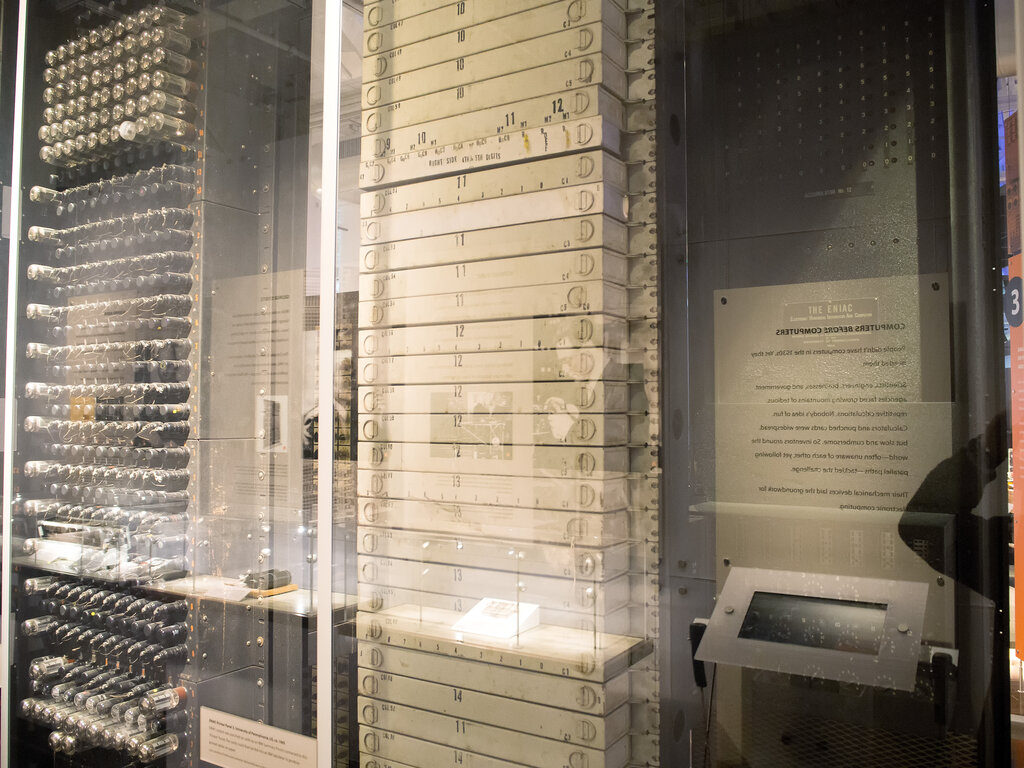
The first generation of electronic computers, like the ENIAC (Electronic Numerical Integrator and Computer), were massive. Taking up entire rooms, they relied on thousands of fragile, power-hungry vacuum tubes to process information. Programming them involved physically rewiring circuits.
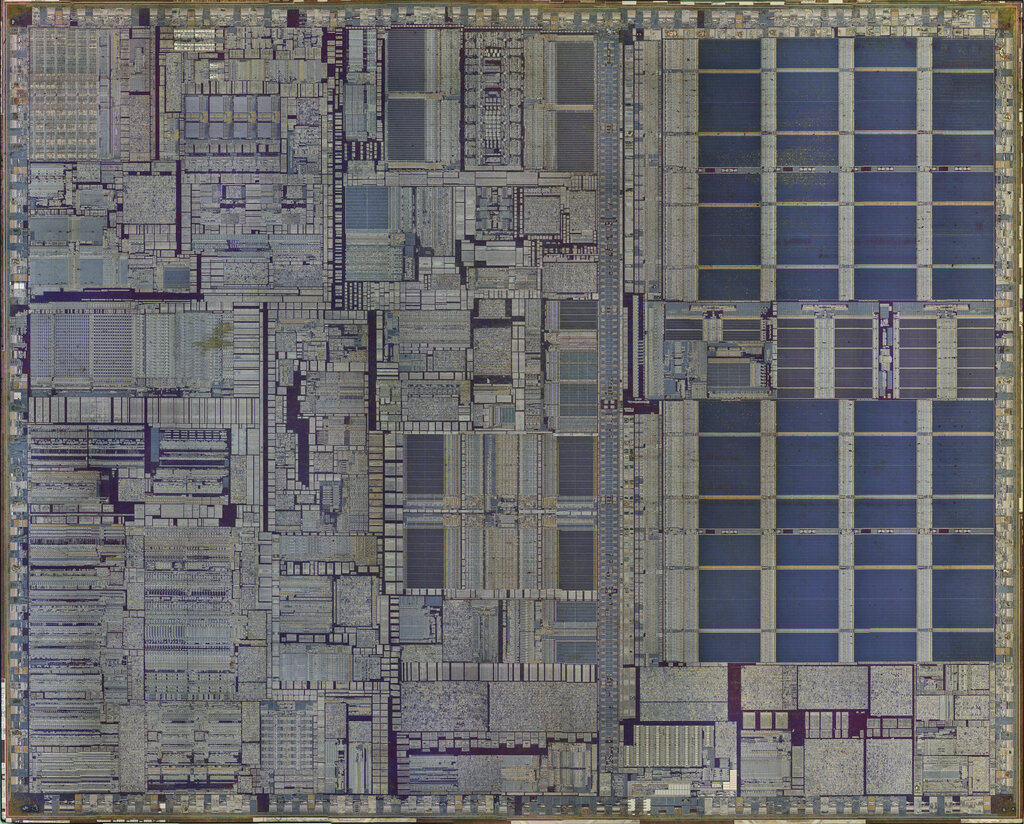
The game-changer was the invention of the transistor in the 1940s, followed by the integrated circuit in the 1950s. These tiny silicon chips could pack the power of thousands of vacuum tubes into a space smaller than a fingernail. This innovation made computers smaller, faster, cheaper, and far more reliable, paving the way for the personal computers, laptops, and smartphones we use today.
The Core Components
Despite their complexity, all modern computers are built around three fundamental components: the Central Processing Unit (CPU), Memory, and Input/Output (I/O) devices. These parts work in constant concert to bring your machine to life.
Let's break down what each part does.
The CPU: The Brain The Central Processing Unit, or CPU, is the engine of the computer. Its job is to execute instructions from programs. Every click, every key press, and every calculation is processed by the CPU. It has two main parts:
Arithmetic Logic Unit (ALU): This is the calculator of the CPU. It performs all mathematical operations (addition, subtraction) and logical comparisons (like is A greater than B?).
Control Unit (CU): This is the traffic director. It fetches instructions from memory and tells the other parts of the computer, including the ALU, what to do and when.
CPU
noun
The primary component of a computer that processes instructions. It runs the operating system and applications, constantly receiving input from the user or active software programs.
Memory: The Workspace If the CPU is the brain, then memory is its short-term workspace or scratchpad. This is usually Random Access Memory (RAM). When you open a program or a file, it's loaded from your long-term storage (like a hard drive) into RAM. The CPU can access data from RAM incredibly fast, which is essential for smooth operation.
Think of it like a desk. You pull out the papers (data and programs) you need from a filing cabinet (storage) and place them on your desk (RAM) to work on them. The bigger your desk, the more things you can work on at once without having to constantly go back to the cabinet.
RAM
noun
Stands for Random Access Memory. A type of volatile memory that stores data the computer is actively using. This data is lost when the power is turned off.
I/O Devices: The Senses Input/Output (I/O) devices are how the computer interacts with the outside world, and how you interact with the computer. They are the machine's senses.
-
Input Devices send information to the computer. Your keyboard, mouse, microphone, and webcam are all input devices. They translate your physical actions into digital signals the computer can understand.
-
Output Devices receive information from the computer. Your monitor, speakers, and printer are output devices. They translate the computer's digital signals into things you can see, hear, or touch.
What is the primary role of computer architecture?
What key invention led to computers becoming significantly smaller and more reliable than first-generation machines like the ENIAC?
These three pillars—CPU, memory, and I/O—form the foundation of every computer, from the supercomputer in a lab to the smartwatch on your wrist. Their design and interaction are the essence of computer architecture.