Collaborative Songwriting with GarageBand
Advanced Arrangement Techniques
Building Your Song's Blueprint
You’ve laid down some tracks and have the core ideas for a song. Now it’s time to turn those pieces into a cohesive musical journey. The key is moving beyond a simple loop and thinking about song structure: the intro, the verse, the build-up to a chorus, and the release. For this, GarageBand’s is your best friend.
This track isn't visible by default. To enable it, go to the menu bar and select Track > Show Arrangement Track. A new lane will appear at the top of your timeline. Click the small + icon on the right side of the arrangement track header to create your first marker. GarageBand will automatically call it "Intro" and make it 8 bars long. You can double-click the marker to rename it (Verse, Chorus, Bridge) and drag its edges to change its length.
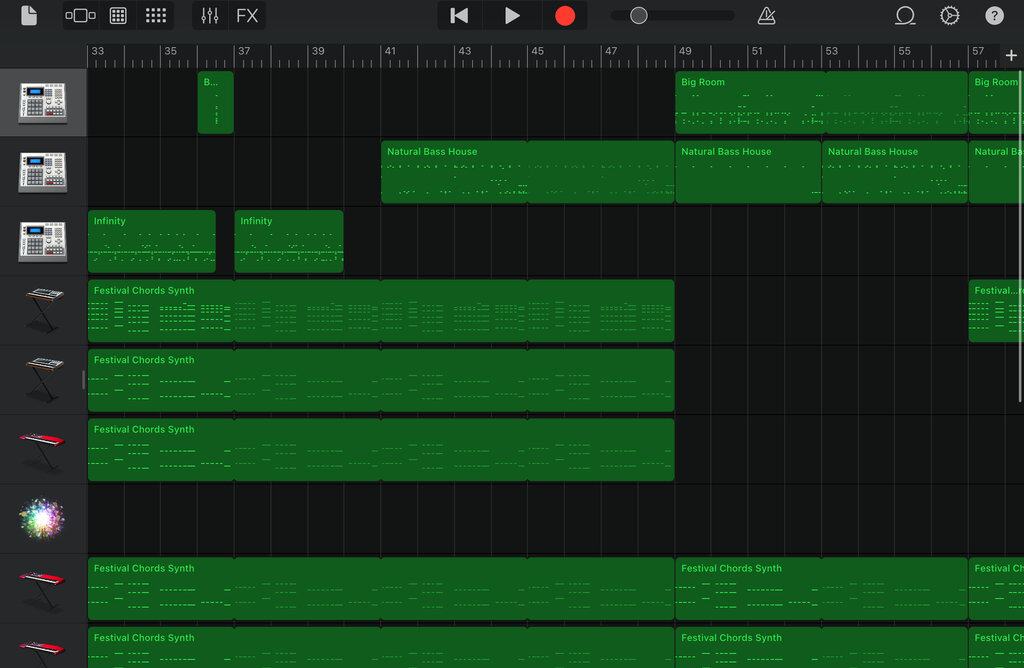
Start by mapping out a rough structure for your song. A common pattern is Intro, Verse, Chorus, Verse, Chorus, Bridge, Chorus, Outro. Create a marker for each section. This blueprint is incredibly useful, especially when working with collaborators. It provides a clear map of the song's flow that you can share before anyone even records a note.
Layering from the Ground Up
With your structure mapped out, it's time to start layering your instruments. A solid workflow is to build from the bottom up. Start with the foundational elements that define the song's groove and harmonic base: the drums and the bass. This approach gives subsequent layers, like guitars, keyboards, and vocals, a solid rhythmic and tonal context to sit in.
Think of it like building a house. You pour the concrete foundation (drums and bass) before you put up the walls (chords and pads) and add the decorations (melodies and vocals).
When you record, make sure the length of your regions is set to 'Automatic'. To check this, select a software instrument track, open the Smart Controls (press 'B'), and go to the Recording Settings tab. Ensure MIDI > Region Length is set to Automatic. This allows you to record for as long as you want without being constrained by a predefined loop length, which is crucial for capturing spontaneous ideas.
Dynamic Rearranging
Here's where the Arrangement Track truly shines. Once you have a few layers recorded across your different sections, you can start experimenting with the song's flow. Want to see if the song hits harder by starting with the chorus? Just click and drag the Chorus arrangement marker to the beginning of the timeline. GarageBand will move all the audio and MIDI regions within that section automatically. You can also copy and paste entire sections to quickly build out your song.
This method of non-destructive editing is perfect for modern music production. It encourages experimentation without commitment. You can try out a dozen different structures in a matter of minutes to find what serves the song best. For collaborators, it means you can send different versions of an arrangement to get feedback, making the creative process more fluid and interactive.
What is the primary function of the Arrangement Track in GarageBand?
According to the recommended workflow, which instruments should you typically record first to build a song's foundation?
Using these techniques, you can build complex, dynamic arrangements that feel alive and intentional, moving your tracks from simple loops to fully realized songs.