CCNA Networking Essentials
Networking Basics
The Building Blocks
Every network, from the one in your home to the global internet, is built from a few key components. Think of them like specialized workers on a team, each with a specific job.
First up is the switch. Its main job is to connect devices on the same local network. Imagine an office building where every computer needs to talk to the local printer. A switch acts like the building's mailroom, taking a packet of data from one computer and delivering it directly to the printer's port. It's smart enough to know which device is plugged into which port, so it doesn't bother other computers with data not meant for them. This creates direct, efficient lines of communication within a local area network (LAN).
Next is the router. While a switch connects devices locally, a router connects different networks together. If the computer in our office example wants to access a website, that website isn't in the building—it's on another network (the internet). The router is the gateway. It takes the data, figures out the best path to the destination network, and sends it on its way. Routers are the traffic directors of the internet, making decisions about where data should go next.
A firewall is the network's security guard. It stands between your trusted internal network and an untrusted outside network, like the internet. It inspects incoming and outgoing traffic, deciding what to allow and what to block based on a set of security rules. This helps prevent unauthorized access and protect against malicious attacks.
Finally, an access point (AP) allows wireless devices to connect to a wired network. It's a bridge between the Wi-Fi world and the world of Ethernet cables. When you connect your phone or laptop to Wi-Fi, you're connecting to an access point that is physically plugged into the network.
Network Design and Layout
How you arrange those building blocks is called network topology. Different designs solve different problems.
In many business networks, you'll find a three-tier architecture. This classic design has a core layer of high-speed routers for fast transit, a distribution layer that applies policies and connects to the core, and an access layer where end-user devices connect. It's hierarchical and easy to understand.
A two-tier architecture simplifies this by combining the core and distribution layers into one. This is common in smaller networks where the complexity of a three-tier design isn't necessary.
Modern data centers often use a spine-leaf architecture. Here, every leaf switch (where servers connect) is connected to every spine switch. This creates a highly resilient and fast network, as data is always just two hops away from its destination. It's excellent for handling the heavy east-west (server-to-server) traffic found in data centers.
Beyond the local network, we have different scopes:
- WAN (Wide Area Network): Connects networks over large geographical areas, like linking a company's New York and London offices. The internet is the ultimate WAN.
- SOHO (Small Office/Home Office): Refers to the small-scale networks used by remote workers or small businesses, often using a single device that combines routing, switching, and wireless functions.
- On-premises vs. Cloud: An on-premises network means all your hardware (servers, switches) is physically located in your building. A cloud network means you're using resources hosted by a provider like Amazon Web Services or Microsoft Azure.
The Physical Layer
Data travels over physical cables. The type of cable used depends on speed, distance, and cost.
Copper cables, like the common Ethernet Cat5e or Cat6, are inexpensive and used for shorter distances, typically up to 100 meters. They transmit data using electrical signals.
Fiber optic cables transmit data using pulses of light, which allows them to carry more information over much longer distances. There are two main types:
Multimode Fiber: Uses a larger core and is best for shorter distances, like within a building or across a campus.
Single-mode Fiber: Has a tiny core that allows light to travel in a single path, making it ideal for very long distances, like connecting cities.
| Cable Type | Signal | Common Use Case | Max Distance |
|---|---|---|---|
| Copper (Cat6) | Electrical | Office LAN, home networks | ~100 meters |
| Multimode Fiber | Light (LED) | Data center, campus | Up to 2 km |
| Single-mode Fiber | Light (Laser) | Long-haul, metro networks | 100+ km |
These cables connect network devices in two main ways. In older networks, devices used shared media, where they all shared the same connection and had to take turns speaking to avoid collisions (when two devices transmit at the same time). Modern networks use point-to-point connections, where a switch port is dedicated to a single device, eliminating collisions.
Even with point-to-point links, issues can arise. A duplex mismatch occurs when one device is set to send and receive data simultaneously (full-duplex) while the other is set to only do one at a time (half-duplex). A speed mismatch is when devices are configured for different transmission speeds (e.g., 100 Mbps vs 1 Gbps). Both of these misconfigurations will lead to errors and poor performance.
Protocols and Addressing
For data to get from A to B, it needs a set of rules and an address. In networking, the two most important rules of transport are TCP and UDP.
TCP (Transmission Control Protocol) is like sending a registered letter. It's reliable. TCP establishes a connection, breaks large messages into smaller segments, numbers them, and confirms they all arrived in the correct order. If a segment is lost, TCP re-sends it. This makes it perfect for web browsing, email, and file transfers where accuracy is critical.
UDP (User Datagram Protocol) is like sending a postcard. It's fast and lightweight. UDP sends data without establishing a connection or checking if it arrived. It's great for applications where speed is more important than perfect reliability, like video streaming or online gaming. A few dropped packets won't ruin the experience.
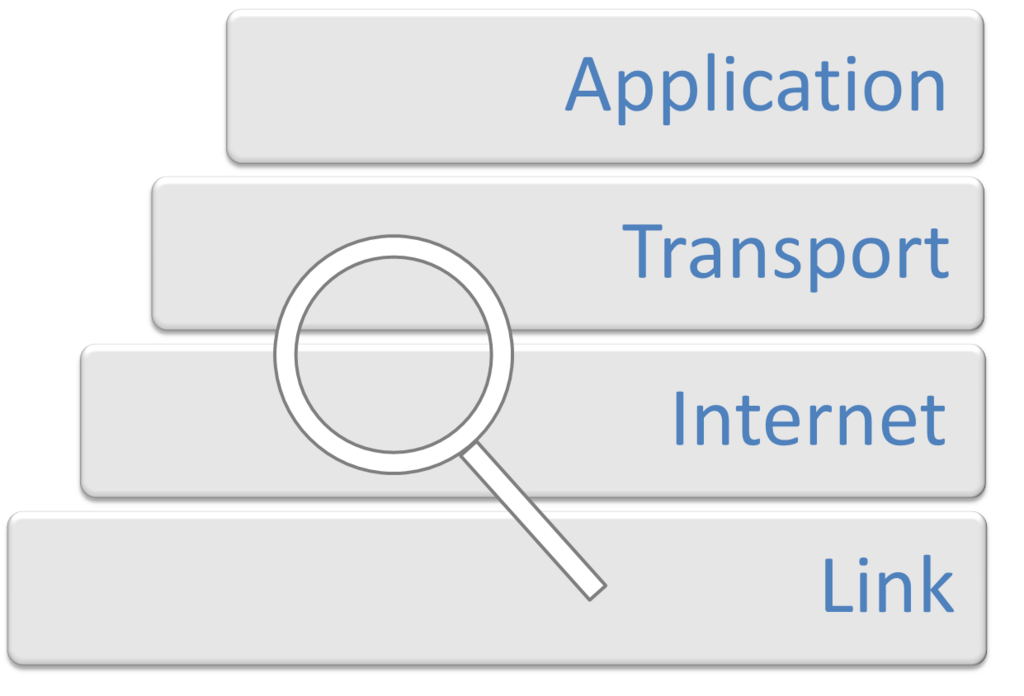
Just as important as the rules are the addresses. The Internet Protocol (IP) provides a unique address for every device on a network.
IPv4 is the original addressing system, using a 32-bit number typically written as four numbers separated by dots, like 172.16.254.1. Because the world was running out of IPv4 addresses, IPv6 was created. IPv6 uses a 128-bit address, written as eight groups of hexadecimal numbers, providing a virtually limitless supply of addresses.
To manage addresses efficiently, we use subnetting. This is the process of taking a large block of IP addresses and breaking it into smaller, more manageable pieces, or subnets. For example, you could create separate subnets for the Engineering and Sales departments, keeping their traffic isolated and making the network easier to manage.
Within IPv4, certain address ranges are reserved for private addressing (e.g., 10.0.0.0/8, 172.16.0.0/12, 192.168.0.0/16). These addresses are not routable on the public internet and can be reused by any organization for its internal network. This was another key strategy to conserve IPv4 addresses.
IPv6 also has different address types. The most common is a global unicast address, which is a unique, publicly routable address. There are also unique local addresses, which are similar to IPv4 private addresses, and link-local addresses, which are automatically configured on every interface and used for communication only on that specific network segment.
Let's test your understanding of these foundational networking concepts.
An office needs to connect its local employee network to the internet. Which device is primarily responsible for forwarding traffic between these two distinct networks?
A large cloud provider is designing a new data center. They need a network architecture that maximizes server-to-server (east-west) bandwidth and minimizes latency. Which topology is best suited for this requirement?
Understanding these components, architectures, and protocols is the first step toward mastering networking. They are the essential vocabulary for building and troubleshooting any network.