C++ Programming Fundamentals
Introduction to C++
What Is C++?
C++ is a powerful, general-purpose programming language. Think of it as an extension of the older C language, which was created in the early 1970s. In the late 70s, a computer scientist named Bjarne Stroustrup wanted to add new features to C, especially those that help organize complex programs. The result was C++.
It's often called a "superset" of C because it includes almost all of C's features and adds more on top. The most significant addition is support for object-oriented programming, a way of structuring code that we'll explore later. Because of its performance and flexibility, C++ is the engine behind many things you use daily, including video games, web browsers, and operating systems.
C++ combines the low-level power of C with modern, high-level programming features.
Anatomy of a C++ Program
Every C++ program, no matter how complex, follows a basic structure. Let's break down the classic "Hello, World!" program, which simply prints that phrase to the screen.
// A simple C++ program

#include <iostream>

int main() {
    std::cout << "Hello, World!";
    return 0;
}
Let's go through this line by line.
First, we have a line that starts with //. This is a comment, which we'll discuss more soon. The computer ignores it completely.
The line #include <iostream> is a preprocessor directive. It tells the compiler to include the contents of the iostream file. This file is a standard part of C++ that contains code for handling input and output, like printing text to the console.
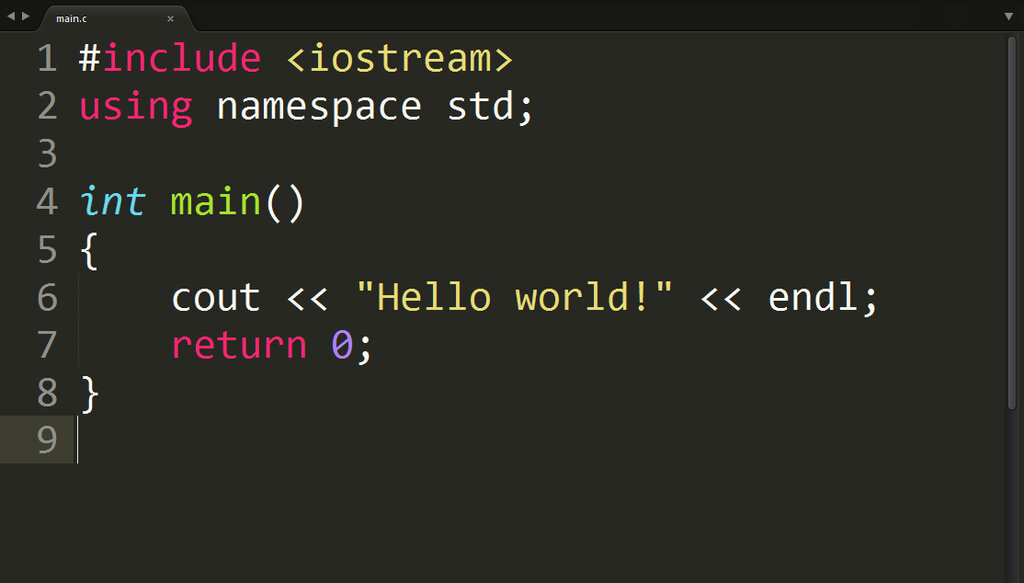
Next is int main(). This is the main function, and it's the heart of every C++ program. When you run your program, the code inside the curly braces {} of the main function is what gets executed. The int before main specifies that the function will return an integer value when it's done.
Inside the function, std::cout << "Hello, World!"; is the line that does the work. std::cout is the standard character output stream, which usually means your console or terminal. The << operator sends the text "Hello, World!" to that stream.
Notice the std:: part. std is the name of the standard namespace. A namespace is a way to organize code and prevent name conflicts. By writing std::cout, we're telling the compiler we want to use the cout that lives in the std namespace.
Finally, return 0; signals to the operating system that the program finished successfully. A return value of 0 conventionally means everything went well.
Making Code Readable
Comments are notes in your code that are ignored by the compiler. Their purpose is to explain what the code is doing for any human who reads it, including your future self. Good comments make code easier to understand and maintain.
Clear code is important, but clear comments are just as crucial.
C++ has two types of comments.
Single-line comment
noun
Starts with a double slash // and continues to the end of the line. It's useful for short, quick notes.
Multi-line comment
noun
Starts with /* and ends with */. Anything between these markers is a comment, even if it spans multiple lines. This is great for longer explanations.
#include <iostream>

/*
This is a multi-line comment.
This program demonstrates the use of comments
and prints a message to the console.
*/

int main() {
    // Print the message. This is a single-line comment.
    std::cout << "Comments make code clearer!";

    return 0; // Signal successful execution
}
Using comments effectively is a key skill for any programmer. They don't need to explain what the code does—the code itself should do that. Instead, they should explain why the code is doing it in a particular way.
Which programming language is C++ primarily considered an extension of?
In a basic C++ program, what is the primary purpose of the line #include <iostream>?
You've just seen the fundamental building blocks of a C++ program. You now know about its history, its basic structure including header files and the main function, and how to use comments to keep your code understandable.