C++ for Competitive Programming
Introduction to C++
From C to C++
The story of C++ begins with its predecessor, C. In the late 1970s, C was a powerful and popular language, but as programs grew more complex, developers needed better tools to manage that complexity. In 1979, a computer scientist named Bjarne Stroustrup started working on a project to enhance C.
His creation was initially called "C with Classes." It took the solid foundation of C and added features for object-oriented programming, a way of organizing code that was gaining traction. By 1983, the name was changed to C++. The "++" is a clever nod to the C language, where ++ is an operator that increments a variable. It signifies that C++ is an incremental improvement upon C.
Essentially, C++ is a superset of C. Almost any valid C program is also a valid C++ program. But C++ adds a wealth of new features, making it a versatile and powerful language used for everything from video games and operating systems to financial trading software and web browsers.
Anatomy of a Program
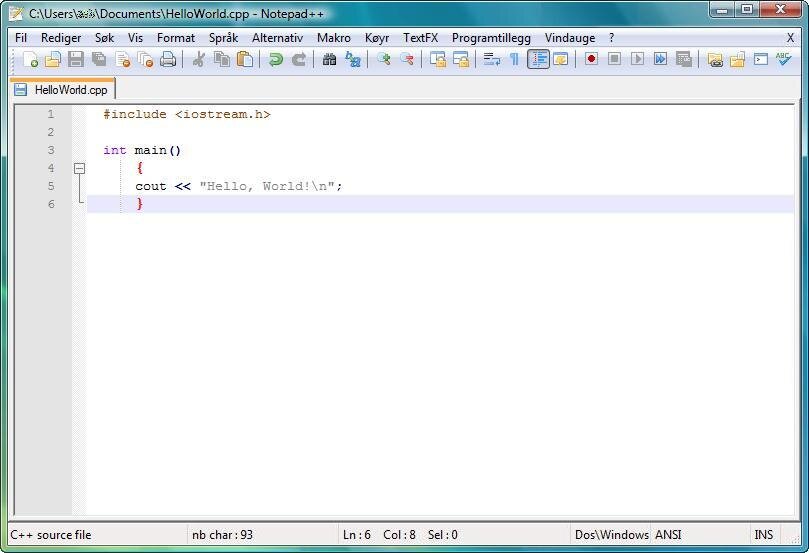
Every C++ program, no matter how large, follows a basic structure. Let's look at the classic first program everyone writes: one that simply prints "Hello, World!" to the screen. It's a simple task, but it reveals the essential components of a C++ application.
#include <iostream>

int main() {
    std::cout << "Hello, World!";
    return 0;
}
Let's break this down line by line.
#include <iostream>: This is a preprocessor directive. It tells the compiler to include the iostream file, which is part of the C++ standard library. This file contains the code that allows us to get input from the user and print output to the screen.
int main(): This is the main function. Every C++ program must have a main function. It's the starting point of the program—the first piece of code that runs when you execute it. The int means the function will return an integer value when it finishes.
std::cout << "Hello, World!";: This line does the actual work of printing. std::cout is the standard output stream, which usually means the console or terminal. The << operator sends the text "Hello, World!" to that stream. The std:: prefix tells the compiler where to find cout (in the standard namespace).
return 0;: This line ends the main function. Returning a 0 is the standard way to signal that the program finished successfully. Any other number typically indicates that something went wrong.
Input and Output
As we saw, std::cout is used for output. It's your tool for displaying information to the user. The iostream library that we included also gives us a tool for the reverse: getting input from the user. This is done with std::cin.
cin stands for "character input." It reads data that the user types into the console. The >> operator is used to take what the user types and store it in a variable. Think of the << and >> operators as arrows showing the direction of data flow: from the string to cout, and from cin to a variable.
#include <iostream>
#include <string>

int main() {
    std::string name;
    std::cout << "What's your name? ";
    std::cin >> name;
    std::cout << "Hello, " << name << "!";
    return 0;
}
In this example, we first declare a variable of type std::string to hold the user's name. We then prompt the user to enter their name. The std::cin >> name; line waits for the user to type something and press Enter. Once they do, their input is stored in the name variable, which we then use to print a personalized greeting.
Now let's check your understanding of these core concepts.
What was the original name of the C++ programming language?
Which statement best describes the relationship between C and C++?
You've just taken your first step into C++. You've seen where the language comes from and learned the fundamental structure for writing, displaying, and receiving information. These are the essential building blocks for every C++ program you'll write.