AI Development From Code to Cloud
Introduction to Python for AI
Why Python for AI?
If you're diving into artificial intelligence, you'll find one programming language comes up more than any other: Python. There's a good reason for this. Python is known for its simple, readable syntax. It often looks a lot like plain English, which makes it easier for beginners to pick up and for experts to write complex ideas quickly.
Python has become the cornerstone of Artificial Intelligence (AI) development, primarily due to its simplicity, readability, and extensive library ecosystem.
Think of it this way: to build a house, you need tools. For building AI, Python provides some of the best and most accessible tools available. Its large community means that if you ever get stuck, an answer is usually just a quick search away. This combination of simplicity and powerful community support makes it the ideal starting point for our journey into AI.
Getting Started
Before writing code, you need a place to write and run it. This is your development environment. First, you'll need the Python interpreter, which is the program that understands and executes your Python code. You can download it for free from the official Python website, python.org.
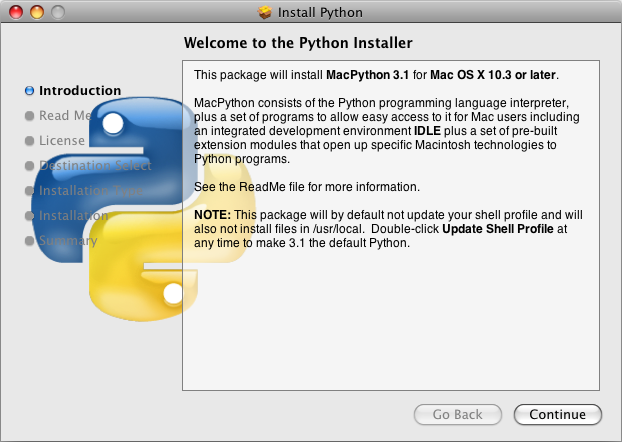
You'll also need a text editor to write your code. You could use a basic one that comes with your operating system, but many developers prefer a code editor like Visual Studio Code, Sublime Text, or an Integrated Development Environment (IDE) like PyCharm. These tools offer features like syntax highlighting and debugging that make coding much smoother.
The Building Blocks
At its heart, programming is about storing information and telling the computer what to do with it. We store information in variables. A variable is like a labeled box where you can keep a value. You give it a name and put something inside.
name = "Alice" # A string of text
age = 30       # An integer
height = 5.5   # A floating-point number
is_student = True # A boolean (True or False)
To see what's in a variable, you can use the print() function. We'll also use comments to leave notes in our code that the interpreter will ignore. In Python, comments start with a # symbol.
# This is a comment. It's for humans to read.
print(name) # This will display 'Alice' on the screen.
Storing and Controlling Data
Sometimes you need to store more than one piece of information. Python has several built-in data structures for this. The most common is the list, which is an ordered collection of items. You can add, remove, or change items in a list.
fruits = ["apple", "banana", "cherry"]
print(fruits[0]) # Access the first item: "apple"

fruits[1] = "blueberry" # Change the second item
print(fruits) # Output: ['apple', 'blueberry', 'cherry']
A tuple is similar to a list, but it's immutable, meaning you can't change it after it's created. This is useful for data that shouldn't be modified, like coordinates.
point = (10, 20)
print(point)
A dictionary stores data in key-value pairs, much like a real dictionary links a word to its definition. They are unordered and you access values by their key.
person = {"name": "Bob", "age": 25}
print(person["name"]) # Access the value for the key "name"
To make our programs dynamic, we use control structures. if statements let our code make decisions, and for loops let us repeat an action for each item in a sequence.
# An if-else statement
if age > 18:
    print("You are an adult.")
else:
    print("You are a minor.")

# A for loop
for fruit in fruits:
    print("I like", fruit)
Organizing Your Code
As programs grow, it's important to keep them organized. Functions are reusable blocks of code that perform a specific task. You define a function once and can then call it whenever you need it.
# Define a function
def greet(name):
    print("Hello, " + name + "!")

# Call the function
greet("Alice")
greet("Bob")
Python also allows you to organize functions and variables into modules. A module is simply a file containing Python code. You can use the import statement to access the code from other modules, including Python's vast standard library, which provides tools for math, file handling, and more.
# Import the 'math' module to use its functions
import math

print(math.sqrt(16)) # Calculates the square root of 16
By mastering these basics—variables, data structures, control flow, and functions—you build a solid foundation. This is the bedrock upon which all complex AI applications are built.
Why is Python a popular choice for programming in the field of artificial intelligence?
Which of the following data structures is immutable, meaning it cannot be changed after it is created?