AI Book Design and Layout
Understanding AI-Generated Illustrations
The Artist in the Machine
Artificial intelligence can now create images from scratch. Think of it like teaching a computer to paint or draw. Instead of a brush, it uses data—vast libraries of existing images and text descriptions. By analyzing these examples, the AI learns the relationships between words and visual concepts. It learns what a “tree” looks like, the features of a “sad face,” or the texture of a “stormy sky.”
When you give it a command, it doesn't copy an existing picture. Instead, it generates a brand new image that matches your description. For poets and writers, this opens up a new way to create visual art that complements their work, turning abstract feelings and narrative scenes from their poems into tangible illustrations.
From Words to Pictures
The magic starts with a text prompt. This is simply a written description of the image you want to create. It can be as simple as “a blue bird on a branch” or as complex as “a lonely astronaut gazing at a swirling purple nebula, impressionist oil painting.” The AI model takes this text, breaks it down, and starts building an image pixel by pixel based on its understanding of your words.
It’s like describing a dream to a sketch artist. The more detailed and specific your description, the closer the final image will be to your vision. The AI acts as your collaborator, interpreting your creative direction and offering a visual translation.
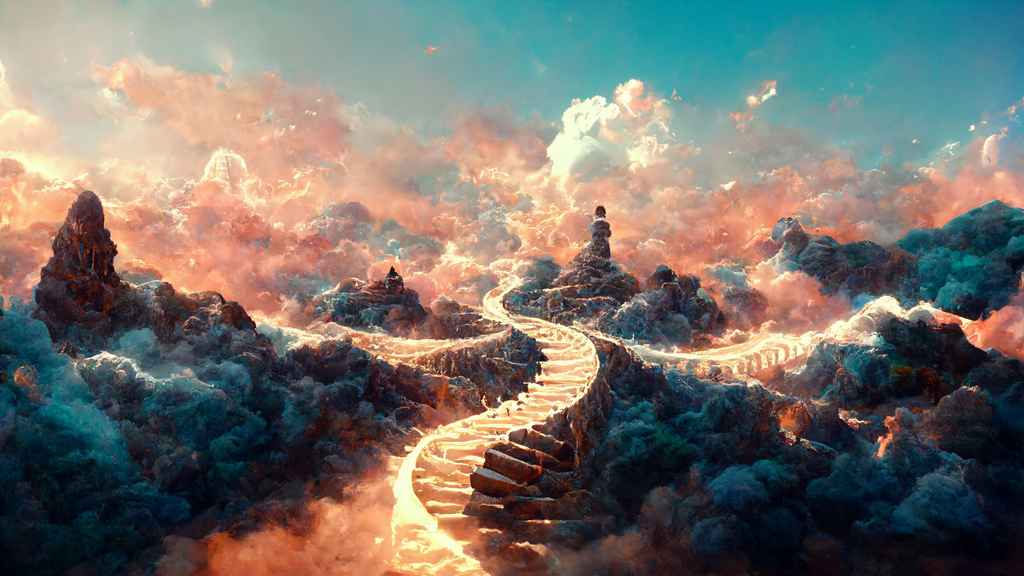
The key to AI art generators is the words you choose.
Finding Your Style
Beyond describing the subject, your prompt can also define the artistic style. Do you want something that looks like a photograph, a watercolor painting, a comic book panel, or a charcoal sketch? You can specify artists, art movements, lighting, and even camera angles. This gives you enormous control over the mood and aesthetic of your illustration.
Experimenting with different style keywords is part of the creative process. Adding terms like “cyberpunk,” “steampunk,” or “fantasy” can dramatically alter the outcome, allowing you to find the perfect visual tone to match your poem's voice.
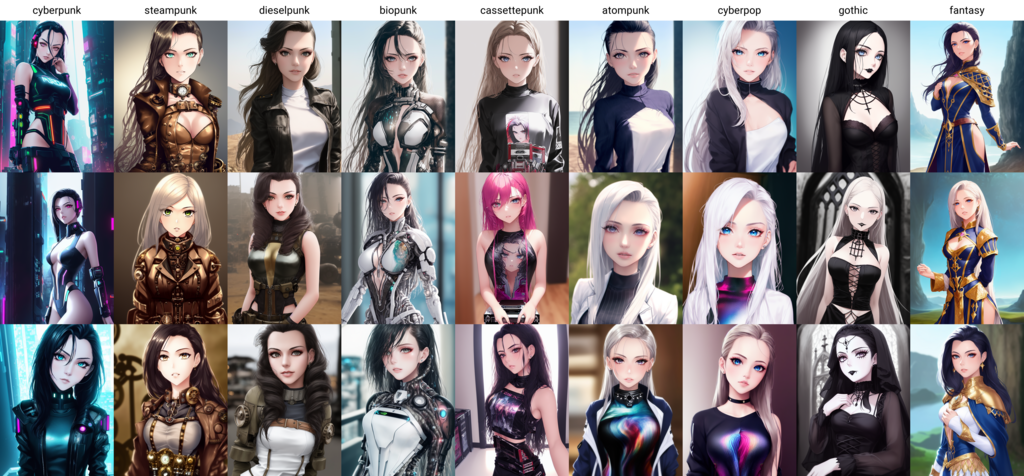
Here are a few examples of how stylistic prompts can shape an image:
| Style | Potential Prompt Keywords |
|---|---|
| Photorealistic | photograph, hyperrealistic, 8K, shot on film |
| Painterly | oil painting, impressionist, watercolor, Van Gogh |
| Graphic | vector art, flat illustration, comic book style |
| Abstract | abstract, geometric, surreal, dreamlike |
Benefits and Limitations
Using AI to illustrate poetry has clear advantages. It’s fast, allowing you to generate dozens of ideas in minutes. It's also accessible; you don’t need years of artistic training to bring a visual concept to life. This can be a powerful tool for brainstorming or creating mockups.
However, there are limitations. AI models don't truly understand the emotion or subtext of your poem. They are pattern-matchers, not thoughtful interpreters. This can lead to illustrations that are technically correct but emotionally flat or nonsensical. The AI might miss the nuance of a metaphor or create bizarre details, like a person with six fingers.
Success often requires patience and refinement. The best results usually come from a collaboration where the human creator guides, curates, and filters the AI’s output to find an image that genuinely resonates with the poem's spirit.
Treat AI-generated content as a first draft.
Ready to check your understanding of AI-generated illustrations? This quiz will cover the key ideas we've discussed.
How does an AI model learn to create original images from text descriptions?
What is the primary role of a 'text prompt' in the AI image generation process?
Ultimately, AI image generation is another tool in a creator's toolkit. It's a new kind of paintbrush, one that requires a different set of skills—not the steady hand of a painter, but the clear vision and descriptive power of a writer.