Affinity Image Batch Optimization Workflow
Understanding Image Formats
Choosing the Right Image Format
Not all digital images are created equal. The format you save an image in has a huge impact on its file size, quality, and features like transparency. Using the right format is a key step in making sure your website loads quickly and looks great. Let's look at the three most common formats you'll encounter on the web: JPEG, PNG, and WebP.
JPEG for Photographs
JPEG (Joint Photographic Experts Group) is the workhorse format for photos. It can handle millions of colors, making it perfect for images with complex color gradients, like photographs of landscapes or people.
The secret to JPEG's success is lossy compression. This means it cleverly throws away tiny bits of image data that the human eye is unlikely to notice. This process dramatically reduces file size. However, the more you compress a JPEG, the more noticeable the quality loss becomes, often appearing as blocky artifacts or blurriness.
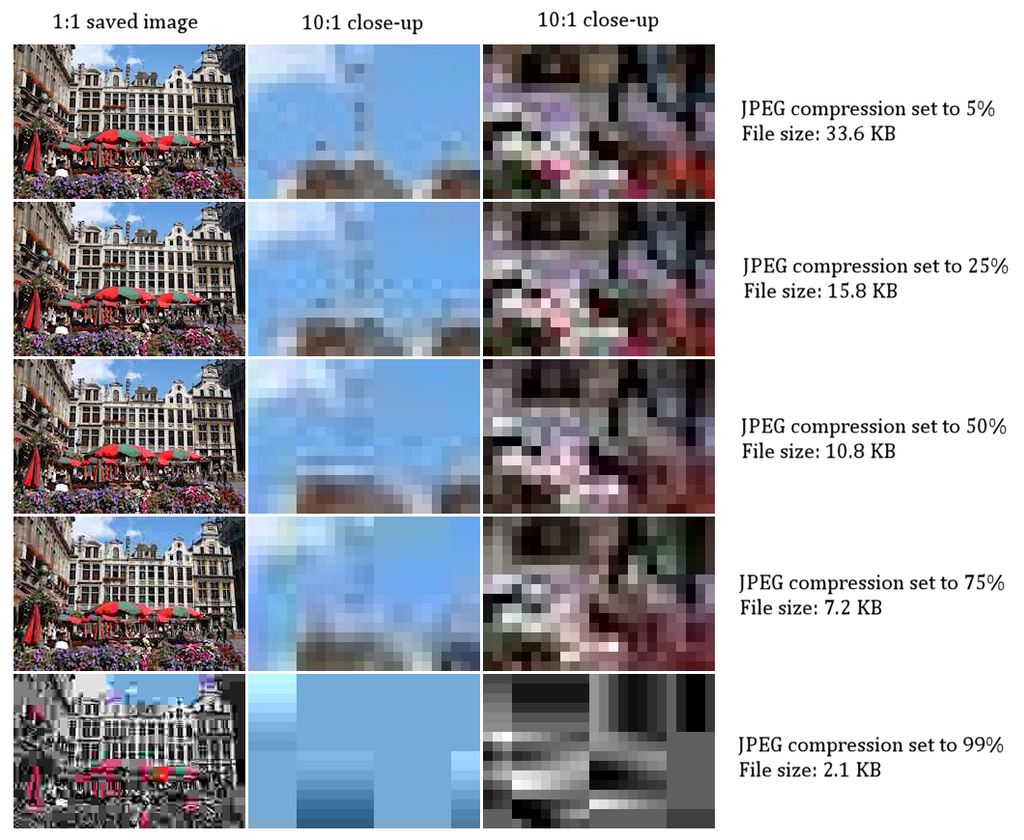
Use JPEG for: Photographs and complex images with lots of colors and gradients where a small file size is more important than perfect image fidelity.
PNG for Sharp Graphics
PNG (Portable Network Graphics) is your go-to format for graphics that need to be crisp and clean. Think logos, icons, illustrations, or any image containing text. Unlike JPEG, PNG uses lossless compression. This means it reduces file size without discarding any image data, so there's no loss in quality.
PNG's killer feature is its support for transparency. It allows parts of an image to be completely see-through, which is essential for placing a logo on different colored backgrounds without a clunky white box around it. However, because PNGs store more data, their file sizes are often larger than JPEGs, especially for photographs.
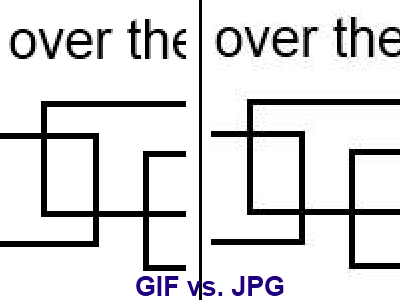
Use PNG for: Logos, icons, and simple graphics, especially when you need a transparent background.
WebP the Modern All-Rounder
WebP is a modern image format developed by Google, designed to be a superior replacement for both JPEG and PNG. It's incredibly versatile. WebP can use both lossy and lossless compression, and it supports transparency.
The main advantage of WebP is its efficiency. A WebP image can be significantly smaller than its JPEG or PNG equivalent while maintaining the same level of quality. For example, a lossy WebP image can be about 25-35% smaller than a comparable JPEG. This means faster-loading websites and less data usage for visitors.
Today, WebP is supported by all major web browsers, making it a safe and smart choice for most web images.
Optimize images by compressing them and using modern formats like WebP.
| Feature | JPEG | PNG | WebP |
|---|---|---|---|
| Best For | Photographs | Logos, Icons | Everything |
| Compression | Lossy | Lossless | Lossy & Lossless |
| Transparency | No | Yes | Yes |
| File Size | Smallest (for photos) | Larger | Smallest (overall) |
Time to check your understanding.
You need to display a complex photograph of a mountain range on your website. Which image format is traditionally the best choice to balance high color detail with a reasonable file size?
Which of these formats uses lossless compression, ensuring that no image data is discarded when the file is saved?
Choosing the right image format is a fundamental skill for web performance. By understanding the strengths of JPEG, PNG, and WebP, you can make informed decisions that improve both the look and speed of a website.